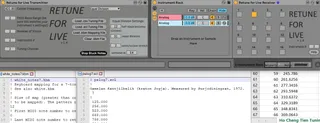
Retune for Live
:::::::::::::::::::::::::::::: New in v1.4 -- Use Scala m...
- Type
- MIDI Effect
- Author
- Ursine
- Version
- 1.4
- License
- AttributionNonCommercialShareAlike
- Live version
- 10.1.5
- Max version
- 8.1.5
- Downloads
- 318
- Updated
- 2020-07-19
Retune for Live is a MIDI Effect for Ableton Live by Ursine, distributed as Creative Commons Attribution-NonCommercial-ShareAlike. It targets Live 10.1.5 and Max 8.1.5. On maxforlive.com it has 318 downloads. First published 2015-06-26, last updated 2020-07-19. 26 user comments below.
New to Max for Live? Read what MIDI Effects do, what the AttributionNonCommercialShareAlike license means, how to install a device.
Description
::::::::::::::::::::::::::::::
New in v1.4 -- Use Scala mapping files (.kbm) to easily change the way .scl files are played on your interface. Also, multiple unique tunings may now be used in a single live session.
Tutorial Video at https://youtu.be/p864_GmKBNM
::::::::::::::::::::::::::::::
This is a Polyphonic MIDI Retuning System for Live Instruments
- Five tuning systems are currently featured: Equal Division, Just Intonation, Pythagorean, Quarter Tone, and Bohlen-Pierce
- Supports two tuning file formats - the Scala scale (.scl) + mapping (.kbm) file standard as well as a custom formatted .csv file
- Up to 16 voice polyphony
- Up to 32 retuned instruments
- Instruments either share tuning information or play unique tunings; up to 32 unique tunings can be used in a single Live session
To learn how to make custom scale files, check out my tutorials at:
http://youtu.be/I2PXnoDX1ns (for .scl)
and
http://youtu.be/gU5ZlJJGGLY (for .csv)
=-=-=-=-=Package includes:=-=-=-=-=
- Retune for Live Transmitter.amxd
- Retune for Live Receiver.amxd
- An example of a custom .csv tuning file ("Ho Cheng Tien Tuning.csv")
- Some of Ursin(e)'s favorite .scl files
- Two well-matched .scl+.kbm pairs to inspire you with new possibilities!
- A ReadMe.txt
Comments (26)
Does seem to loose settings here.
Sometimes sound/midi is cut out, and by changing the voices to a higher number and back, gets me back the sound/midi as it should.
I found one glitch though, that is aparently common in most midi retuning software: it does not pass-thru CC and other midi data (like aftertouch etc.) very well.
For example, try using kontakt player and midi mapping a controller like mod wheel to a control in thsi sampler. If you try to send mod wheel data through teh Retune device it becomes jittery, it seems that CC data only passes when a key (midi note on) is pressed. Can this be fixed maybe so that all midi data passes through the device fluently and only midi notes are retuned?
Thanks!
What I found really is this: the Retune device does not allow data other than midi note and pitch bend to pass through. I tried passing modwheel (CC1) data and it does not work properly. It worked on the Analog Live Instrument because I used midi learn and so it was direct, not through teh device. But in other instances (plugins, etc.) it does not work because Retune For Live does not pass through the midi data.
I tried with other retuning software and the data passed through so it is a problem with this particular device. If it could be fixed that would be great!
-> Works with any Live MIDI Instrument that supports pitchbend messages
Thanks!
Thanks!
If i could control the base note with the lowest midi notes octave, that 'd be awsome. maybe even with a glide: imagine the just intonated chords and the modulations, perfect!
You *CAN* use this device all on a single track!
It just requires nesting a few instrument racks.
Quick example of one possible way to do it:
-New MIDI Track
-Add Retune Receiver to the track
-Add Electric to the track
-Highlight both devices, right-click, and choose Group (cmd+G)
-In the newly created rack, show the chain list
-Highlight the chain, right-click, select Duplicate (cmd+D)
-Make as many instances as you need for polyphony
-Set each instance's Retune Receiver to use a different channel
-Drop an instance of Retune Transmitter before the Rack (and set the number of voices and the tuning appropriately)
If you want to save it for later:
-Highlight both the Transmitter and the rack of devices,
right-click, choose Group (cmd+G)
-Save the new rack as a preset with the disk icon
Enjoy!
For example in tuning a Major 3rd at a ratio of 5/4, I expect +386.3 cents from the tonic note (in this case C). According to the Tuner in Live, it comes out +365.8 cents. I get similar results if I select Just Intonation from the drop down menu.
I do the same test in another scala device w/ the same scala file (outside of Live, but sending the sound back into Live), and it hits right on at +386.3 cents.
In both cases I'm using a simple sine tone, which tracks perfectly in equal temperament.
Am I doing something wrong, or is the math off in this device?
That is pretty far off, my guess is there is a mismatch between the pitchbend settings on the software instrument you are using and the pitch bend settings on the Transmitter. If you would like to troubleshoot further, contact me via email. While the MIDI spec is limited to 128^2 discrete pitchbend values and the tuning results will inevitably be slightly off (computers themselves are limited by floating point accuracy anyway, so perfection is impossible), I've tested with much finer accuracy than that!
I also see that you have a note in the Transmitter to match those up... so I don't know why it didn't dawn on me that was the issue.
Thank you for the explanation, and even more for the retuning device!
I can get Retune to trigger with midi instruments, but not with my piano roll. Is there a way to get it to play with midi information, or is it just for live instruments?
Thanks!
I am unable to properly open the provided .scl files, and keep getting the following error: "number of lines does not match specified scale size".
I can't figure out what's wrong, maybe you do have a clue?
Thanks,
Amine
I had the same problem. Empty lines count as lines. There was an empty line at the end of the .scl file and I deleted it.
There are surely other scala programming rules that can be broken.
It's on my default live set and it even works on a couple hardware pieces! (korg volca fm and behringer k2..but not the model d..)
When saving a preset it automatically goes back to 12 tone scale, and you have to put the number of equal divisions / reload the scale (it will still say you are at 22 edo for example, but will be 12 edo).
I have some more questions if you're open to it Ursine (if email is easier)
Thanks!
I'm having the same error message come up when I attempt to import .scl files - error: "number of lines does not match specified scale size"
I'm using v1.4 which I see you suggested should fix the issue. Any other ideas at how I might get these files to work?
Thanks very much!
Jack
"number of lines does not match specified scale size".
The SCL files work fine in other circumstances such as direct import into a microtuning-supported VST, but not in your device.
Hope to hear from you. Thanks.
rob at [email protected]