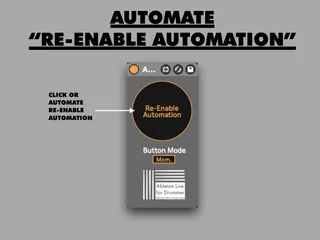
Automate Re-Enable Automation
This device lets you trigger Ableton Live's "RE-Enable Aut...
- Type
- MIDI Effect
- Author
- AbletonKurse
- Version
- 1.0
- License
- None
- Live version
- 10.1.18
- Max version
- 8.1.5
- Downloads
- 0
- Updated
- No Updates
Automate Re-Enable Automation is a MIDI Effect for Ableton Live by AbletonKurse, distributed as freeware, with no license specified by the author. It targets Live 10.1.18 and Max 8.1.5. Published 2021-02-22. 5 user comments below.
New to Max for Live? Read what MIDI Effects do, how device licenses work, how to install a device.
Description
This device lets you trigger Ableton Live's "RE-Enable Automation" function. This is needed if an automation in Arrangement View has been de-activated. You can as well automate this function - this becomes handy if you have some parameters being controlled via automations but with external MIDI controllers in the same live set.
It is included in the:
TEMPO CONTROL COLLECTION
Wich you can get: https://gum.co/tempocontrolcollection
7 devices for dynamic and automated tempo control for Ableton Live 10 + 11 (6 devices will work in Ableton Live 10+11 - one device will only work in Ableton Live 11)
Check out the video tutorials for those devices here:
https://www.youtube.com/playlist?list=PLUh6TpzNu0gO7tbE6YFC7z-fA40ATuDln
More info on those devices + my Ableton Tempo Control Guide:
https://blog.abletondrummer.com/ableton-live-tempo-tempo-follower-guide/
Comments (5)