- Type
- MIDI Effect
- Author
- submodify
- Version
- 0.9
- License
- None
- Live version
- 10.1.43
- Max version
- 8.5.4
- Downloads
- 822
- Updated
- 2024-01-05
FLaRp XL is a MIDI Effect for Ableton Live by submodify, distributed as freeware, with no license specified by the author. It targets Live 10.1.43 and Max 8.5.4. On maxforlive.com it has 822 downloads. Published 2024-01-05. 5 user comments below.
New to Max for Live? Read what MIDI Effects do, how device licenses work, how to install a device.
Description
Welcome to FLaRpXL.
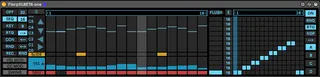
This is the bigger, more featured version of my FLaRp sequencer. Its a mono step sequencer, with a built in pattern sequencer. It can store 12 mono step sequencer patterns, each with their own sequencer data (pitch, velocity, slide, CC), as well a loop points, speed, and direction. There are various modes to change playback, so you can alter pitch, velocity, and playback position just through Midi input. I've made a really rubbish tutorial video which I suggest you try to watch =/ , which should cover most things.
https://youtu.be/m6MGlDNF2uY
I think everything has an entry in the info window if you get stuck. If you come across any bugs,issues, or general feedback, please comment on the above video so I get notified.
The .zip contains the device, plus a preset that I've been using for testing to get you started.
Here's a demo of me messing around:
https://youtu.be/GVVJW_J-6D4
ENjOy!
Comments (5)
So yeah, I'm loving your device. I'm wondering a couple things:
1) Could you make it so that the buttons and commands and everything are all MIDI/Key/macro mappable? I like the Record feature for mapping a sequence, but I'd like to sometimes map the step button to a controller key and step through adding the notes as I go without worrying about timing. (I'd also like to just map all the commands to my controller to switch other things up on the fly--I like customizing my devices and integrating them into my controller workflow.)
2) Could you add a true MIDI Thru mode? Specifically one that can be toggled without totally deactivating the device (like I'm doing now when I want a Thru mode) but also without affecting the sequence steps when in Record mode.
Thanks again for releasing this thing!
1) Better controller support is something I'm definitely looking into. Being able to assign stuff to individual steps for recording sounds interesting.
2) I'll have a play with the Midi thru option when I get chance. Should be simple enough to implement.
Thanks Again! Glad you like it!