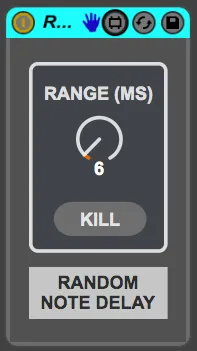
Random Note Delay
Simple device that delays up to 32 notes at once, randomly f...
- Type
- MIDI Effect
- Author
- happytosh
- Version
- 1.1
- License
- Attribution
- Live version
- 9.6
- Max version
- 7.1.0
- Downloads
- 4,101
- Updated
- 2023-02-26
Random Note Delay is a MIDI Effect for Ableton Live by happytosh, distributed as Creative Commons Attribution. It targets Live 9.6 and Max 7.1.0. On maxforlive.com it has 4,101 downloads. First published 2016-01-30, last updated 2023-02-26. 11 user comments below.
New to Max for Live? Read what MIDI Effects do, what the Attribution license means, how to install a device.
Description
Simple device that delays up to 32 notes at once, randomly from 0 to 127 milliseconds.
Useful for realtime de-quantisation:
- When you are using Repeat on Push
- When you are using the Arpeggiator
- If you want to loosen up quantisation in MIDI-clips.
If you are still using my old "Random Midi delay" please delete it! This does the same thing but has been completely rebuilt and cleaned up :)
Comments (11)
does this work with push 2? Sounds rad...
Thanks,
Simon
Would be nice if it went to 16 or 32 voices max
Also there seems to be a problem when adding notes on top of a chord. For instance playing a chord and then adding notes while the chord is being held
I just tested the one I've got here and it seems to be doing max 16 notes. Should be doing 32. I'm not doing Max these days, but I'll upload the one I have in case the one here is outdated.
Also make sure the instrument you are using is set to a higher number of voices than 8!
Many are default at 6, like Operator and Sampler.
I tried here with Arturia Piano v2 as well and i don't have this issue my end, so i don't know what could be causing it sorry!
I updated the file here now if you want to make sure you have the same version I've got.