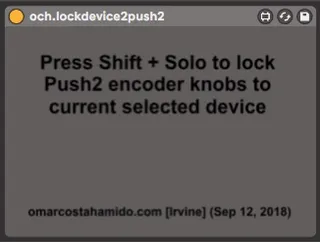
och.lockdevice2push
lock push 2 knobs to currently selected device using a simpl...
- Type
- Audio Effect
- Author
- OCH
- Version
- 21.1
- License
- Commercial
- Live version
- 11.2.5
- Max version
- 8.5.2
- Downloads
- 2
- Updated
- 2022-12-25
och.lockdevice2push is an Audio Effect for Ableton Live by OCH, distributed as a commercial (paid) device. It targets Live 11.2.5 and Max 8.5.2. On maxforlive.com it has 2 downloads. First published 2018-09-13, last updated 2022-12-25. 12 user comments below.
New to Max for Live? Read what Audio Effects do, what the Commercial license means, how to install a device.
Description
lock push 2 knobs to currently selected device using a simple Shift+Solo shortcut.
No need to switch to user mode, no need to setup new control surfaces, just drop this device anywhere and you'll even get visual feedback directly on Push's display.
view demo here: https://youtu.be/vkloN6J4cck
Comments (12)
For example, it allows you to be able to play with the keyboard layout on a midi track that is sending midi to a vst sitting on another audio track.
But I think I understand what you are asking for, and I'll try to take a look at that option as well.
Just bought your clever little device, but it only kinda works. It seems that if I lock push to a device, then select another channel and then unlock push from the device, I'm not able to select and adjust a new device before I actually lock push to that new device. It's a bit of a shame - especially if you use it in live performance, where it's not ideal, having to go back to the previous channel to unlock the device. I seriously limits the work flow. Do you think it's possible to solve this issue?
This is an old device and needs some updates some day.
In the meantime, there is a link to a form at the end of the gumroad page.
Submit that and we'll get in direct contact, and I'll fix it for you.
Thank you for your patience and support.
It will take me at least until mid-late July before I can revamp this. In the meantime if you'd like to explain your setup and what is it that you are trying to do, I could have that in mind for when I rework on this. Thanks.
blast from the past!
Are you saying that it doesn't work on Push 3 controller mode, or Push 3 in standalone mode?
I do not own a Push 3 myself yet. And yeah... this one is going to be difficult to crack even for me - cause god knows where are the damn files at this point. I was not very methodical before getting into github. Please reply to your email receipt. Hopefully I will get a push3 later this year. Thanks.