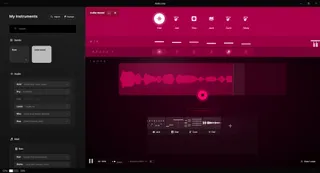
AbleLoop - Sexy Live Looper Interface
Ever want to jam like Marc Rebillet?? AbleLoop is an ...
- Type
- MIDI Transformation
- Author
- toler1305
- Version
- 1.0.0
- License
- Attribution
- Live version
- 11.0.0
- Max version
- 8.6.2
- Downloads
- 0
- Updated
- 2024-06-28
AbleLoop - Sexy Live Looper Interface is a MIDI Transformation for Ableton Live by toler1305, distributed as Creative Commons Attribution. It targets Live 11.0.0 and Max 8.6.2. First published 2024-06-27, last updated 2024-06-28. 5 user comments below.
New to Max for Live? Read what MIDI Transformations do, what the Attribution license means, how to install a device.
Description
Ever want to jam like Marc Rebillet??
AbleLoop is an interface for Abletion Live, that is built for live performance or jamming at the studio.
It makes live looping fun, encourages improvisation, and is fully mappable to various setups.
Note:
This is a Windows Application (exe), it opens up in a seperate windows and controls Ableton via a custom made liveset with a few Max devices and a custom control script (@leolabs\AbletonJS).
Features:
- Auto BPM (set bpm via first loop)
- No Hands Control
- Instantly Layer Midi Loops
- Fast&Flexible Input Switching
- Saved "Bands" of your presets, premixed.
- Preload instruments into memory (for quick addition during a session)
- Loop Slots independant of tracks, map to illuminated pads (Launchpad X, Push...)
- Comes ready with 25+ sampled instruments (from AbleTunes & Brian Funk)
- Intuitive interface
Tags:
tempo follow, loop midi, live looping, Marc Rebillet, AbleLoop, auto BPM, hands-free control, layer midi loops, input switching, saved presets, instrument preload, loop slots, illuminated pads, Launchpad X, Push, sampled instruments, AbleTunes, Brian Funk, MIDI controller mapping, live set optimization, performance tools, real-time looping, dynamic effects switching, MIDI/audio looping, advanced MIDI mapping, quick instrument addition, Max for Live, live performance, jamming tools, studio improvisation, live set, instant bands, session instruments, mapping to pads, pre-mixed bands, looping interface, live improvisation, MIDI loops.
Comments (5)
"ENOENT: no such file or directory, Istat Appdata\Local\Programs\ableloop\extraFiles\Remote Script, Ableloop"
I added that to the description for clarification :)
To my disappointment, after following thee instructions, Installation hangs when I select my 'user library' via the onscreren guide, but it cant sync with it. I get trapped in this loop when it cleverly tries to recover and have me click to show the Ableton user library in explorer but even when I copy and paste the location, it again thinks about it, but I'm thrown another error..... :(