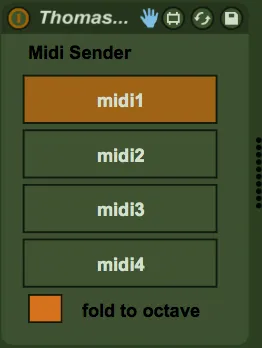
Zero Latency Midi Router Sender
Device for routing midi notes arbitrarily between different ...
- Type
- MIDI Effect
- Author
- voodoohop
- Version
- 0.5
- License
- None
- Live version
- 9.2
- Max version
- 7.0.4
- Downloads
- 1,108
- Updated
- 2016-05-16
Zero Latency Midi Router Sender is a MIDI Effect for Ableton Live by voodoohop, distributed as freeware, with no license specified by the author. It targets Live 9.2 and Max 7.0.4. On maxforlive.com it has 1,108 downloads. First published 2016-05-11, last updated 2016-05-16. 12 user comments below.
New to Max for Live? Read what MIDI Effects do, how device licenses work, how to install a device.
Description
Device for routing midi notes arbitrarily between different parts of your set.
Uses Live's delay compensation to circumvent the latency introduced by Max for Live's inter-device communication restrictions.
The sender device sends the exact transport time with the midi note event.
The receiver device has a defined latency of 512 samples which means it receives the events 512 samples before they need to be sent out. It then just delays them by the necessary amount of time so they leave the device at the correct moment.
Necessary to download the accompanying receiver device for this to be useful:
http://www.maxforlive.com/library/device/3625/zero-latency-midi-router-receiver
Comments (12)
The sender device sends the exact transport time with the midi note event.
The receiver device has a defined latency of 512 samples which means it receives the events 512 samples before they need to be sent out. It then just delays them by the necessary amount of time.
Replaced transport par plugsync~ that is supposed to be very accurate and revamped the architecture to have it occur exactly on time, but I still have around 0.5ms of latency no matter what. Does not happen when using Live's builtin arpeggiator sending out midi to another channel. I've ended up quantizing record to 1/32nd on target track which is accurate enough for my needs.
Maybe there is somewhere a m4l function to bang at a specific time the midi out message ?