Automation Recorder
Record parameter automation/modulation from any Ableton Live...
- Type
- Audio Effect
- Author
- VKondakoff
- Version
- 1.2
- License
- Commercial
- Live version
- 10
- Max version
- 8
- Downloads
- 1
- Updated
- 2020-09-03
Automation Recorder is an Audio Effect for Ableton Live by VKondakoff, distributed as a commercial (paid) device. It targets Live 10 and Max 8. On maxforlive.com it has 1 downloads. First published 2018-01-11, last updated 2020-09-03. 20 user comments below.
New to Max for Live? Read what Audio Effects do, what the Commercial license means, how to install a device.
Description
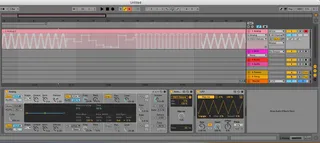
Record parameter automation/modulation from any Ableton Live control device (LFO, Envelope, Envelope Follower etc) to a MIDI track or MIDI clip. Movement of _every_ knob that is mapped can be recorded.
Usage: put Automation Recorder ‘between’ the knob you want to automate and control device of your choice. Load Automation Recorder to a MIDI track and map it to device parameter you want to automate using Automation Recorder ‘Map’ button, then map the big ‘Map Me’ dial from the control device. While the knobs are moving press ‘Record’ or ‘Session Record’ buttons to start recording the automation to a MIDI track/clip. After the recording is done you can disable Automation recorder and the control device and manually edit the recorded automation if needed.
In the Automation recorder GUI you can set mapping’s Min and Max value range and specify the rate of the recorded automation in milliseconds (the bigger is this value, the more stepped is the recorded automation and vice-versa).
Automation Recorder was designed to work in Ableton Live 10/Max 8 and was tested to work in Ableton Live 9.7.5/Max 7.3.4.
Short video: https://youtu.be/fKMhFLADXfg
Version 1.0 (Jan 2018)
Version 1.1 (Feb 2018)
- Code clean-up, efficiency enhancements
- Updated mapping code
- Download size of the device is a little bit smaller
Version 1.2 (Feb 2019)
- Fully compatible with Ableton Live 10.1 (try to edit the recorded automation with the new Live automation transformation tools)
- Code optimisation
- Device download size was dramatically reduced
Price: $1
Download: https://gum.co/RlVeU
Here you can view my other M4L devices: https://gumroad.com/valery_kondakoff
Comments (20)
The Krypt1k ones record their own generated modulation, and it gets recorded as automation for the Krypt1k devices themselves, not in the automated device. Gotta copypaste to the parameter in the automated device manually later.
The VKondakoff one records any automation mapped to it and has a little "Rate" parameter. Doesn't have any modulation of its own but records the automation directly in the parameter, no need to copypaste later (so it also can be used directly with devices in another track). Sends automation constantly like it was the user, so it triggers automation override. So you may have to unmap the parameter or disable the device to use the recorded automation.
:)
Please take me through as if I understand nothing. What user case scenario are you solving? Lead me up to it. Because I really don't get why I could use this. "You know when..." "Ever wonder why you can't..." "Isn't a drag having to..." "
Are we making a distinction between modulation and automation? Is there something more flexible doing things this way? What is it?
I used to have a lattice of dummy clips that I would keep automation shapes on, and then trigger them. Is this kinda like an automation shape generator? What if you could just change the parameters of the device and then just copy the shape over?
See, that's literally how clueless I am. I have underlying assumtions that are just getting in the way.
A Tear Of Joy Wiped
A M4L Device That Makes My Ableton Experience Much Greater, Specially With PsycoX Sample Driven LFO 1.0 by PsycoX ...... https://maxforlive.com/library/device/6395/psycox-sample-driven-lfo
Any suggestions?
When the playhead runs through the automated curve, the re-enable automation button lights up and the automated parameter gets locked.
You can unlock the parameter with the re-enable automation button, but when the playhead goes through the automation curve, it happens all over again.
The only way I've found to prevent this is to un-map the parameter from the automation recorder or to turn it off, which is not very convenient.
I'm using Ableton 11 on Windows 10, hope this helps.
Cheers
Works perfect with LFO device in Live 12.2 to record LFO controlled device parameter movement to device parameter automation lanes.