- Type
- Instrument
- Author
- TilmanEhrhorn
- Version
- 1.1
- License
- AttributionNonCommercialShareAlike
- Live version
- 11.2.11
- Max version
- 8.1.5
- Downloads
- 0
- Updated
- 2023-04-02
tape is an Instrument for Ableton Live by TilmanEhrhorn, distributed as Creative Commons Attribution-NonCommercial-ShareAlike. It targets Live 11.2.11 and Max 8.1.5. First published 2023-03-24, last updated 2023-04-02. 4 user comments below.
New to Max for Live? Read what Instruments do, what the AttributionNonCommercialShareAlike license means, how to install a device.
Description
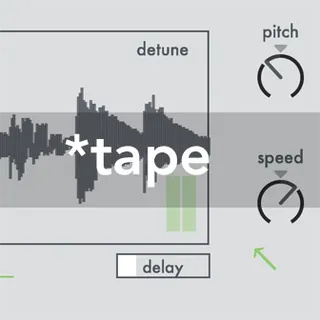
*tape is a polyphonic tape emulator.
The pitch of the loop corresponds to the played midi note (C4= original pitch) and will also refer to the speed parameter as would be the case with a tape machine.
Furthermore the pitch can be also influenced independently from speed as well as the frequency of the processed audio signal can be additionally manipulated.
Clicking and dragging with the mouse inside the display window causes zooming in and out to select different parts of the loaded sample to be played back.
Demo Video: https://youtu.be/i0VIB9rzU14
Further documentation can be found in the Max for Live device if Ableton Live´s Help View is turned on.
Comments (4)
It seems the device doesn't save the .wav after quit and reboot the ableton project(on OSMonterey M1). I need to reload when i reopen the session... it is normal ?
Thx again
Thanks for letting me know! In the Instruction Video (https://youtu.be/i0VIB9rzU14) at the very end there is a short instruction how this can possibly be avoided. In the Max Application, which runs in the background, the Search Path must be defined once, i.e. the location where the sample was placed on the hard disk must be defined. Did you already try this? This way it should (hopefully) work better.