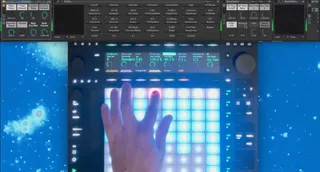
Punchline - Punch-in FX for Push and Move
Punchline: Punch-in FX Control for Ableton Live ...
- Type
- Audio Effect
- Author
- Dibek
- Version
- 1.0
- License
- Commercial
- Live version
- 12.0.5
- Max version
- 8.6.2
- Downloads
- 0
- Updated
- 2024-11-29
Punchline - Punch-in FX for Push and Move is an Audio Effect for Ableton Live by Dibek, distributed as a commercial (paid) device. It targets Live 12.0.5 and Max 8.6.2. Published 2024-11-29. 5 user comments below.
New to Max for Live? Read what Audio Effects do, what the Commercial license means, how to install a device.
Description
Punchline: Punch-in FX Control for Ableton Live
Punchline is a Max for Live device that gives you hands-on control over your master channel effects. Designed for both studio and live use, it lets you "punch in" and "punch out" effects with ease.
Features:
Instant FX Switching – Activate and deactivate effects on the fly for seamless transitions, rearrange the fx how you want them.
Customized Push Integration – The Push pad matrix is optimized to let you intuitively punch in effects, with pad colors showing active states at a glance.
Rack Compatibility – See and select variations when using rack devices, offering even more flexibility in your sound design.
Use Any Effect – Compatible with all effects in your library, ensuring you’re never limited in your creative choices. Ableton´s internal Fx, Racks, VST, everything works.
It´s fun!
https://www.youtube.com/watch?v=pwfQysbnfr0
Comments (5)
However, the good news is that a pretty huge update is shortly to be released. It´s now possible to use Punchline on any track (one per track), this means you can record the automation into clips, all of it with full visual feedback on the grid. There´s much more to this release, stay tuned!
That's great news about recording in the arrangement view. This is what I've been trying to figure out and couldn't get to work, because we can't arm the master bus in Live. Could you share how you did it? Forgive me if I'm being silly and overlooking something obvious.
You don´t have to arm the master bus, it´s just automation we´re recording and it works just like any other automation you´re recording, except that the automation envelopes are written into the master bus track in arrangement view.
This video should cover it pretty well, good luck!
https://help.ableton.com/hc/en-us/articles/209070629-Working-with-Automation-and-Modulation