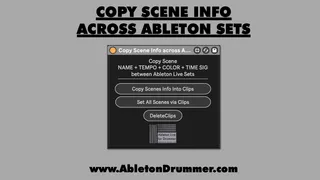
Copy Scene Info across Ableton Sets
Copy Scene Info across Ableton Sets This Max for Live...
- Type
- MIDI Effect
- Author
- AbletonKurse
- Version
- 1.0
- License
- Commercial
- Live version
- 12.0.5
- Max version
- 8.6.2
- Downloads
- 0
- Updated
- No Updates
Copy Scene Info across Ableton Sets is a MIDI Effect for Ableton Live by AbletonKurse, distributed as a commercial (paid) device. It targets Live 12.0.5 and Max 8.6.2. Published 2025-08-01.
New to Max for Live? Read what MIDI Effects do, what the Commercial license means, how to install a device.
Description
Copy Scene Info across Ableton Sets
This Max for Live device lets you copy the BPM, Name and Bar Signature information from one Ableton Live Set to another. This can become very handy when you merge multiple Ableton Live sets e.g. different songs for your live performance into one main Ableton Live set you want to use for your concert.
Check out TobiBot for Questions on Ableton Live & Max for Live:
https://blog.abletondrummer.com/ableton-support-chatbot/
Check out more Max for Live devices here:
https://maxforlivedevices.com/
All Devices - https://maxforlivedevices.com/category/all-devices/
Collections - https://maxforlivedevices.com/category/collections/
Control - https://maxforlivedevices.com/category/control/
Free - https://maxforlivedevices.com/category/free-max-for-live/
Hardware - https://maxforlivedevices.com/category/hardware-control/
How To and FAQ - https://maxforlivedevices.com/category/faq
MIDI Tools - https://maxforlivedevices.com/category/midi-tools/
Max for Live not only for drummers:
https://blog.abletondrummer.com/free-max-for-live-devices/
How to install Max for Live devices:
https://blog.abletondrummer.com/how-to-install-max-for-live-devices-in-your-user-library/
How to get Max for Live devices:
https://maxforlivedevices.com/how-to-get-max-for-live-devices/
Frequently Asked Question and How To Max for Live:
https://maxforlivedevices.com/category/faq/