- Type
- Instrument
- Author
- njazz
- Version
- 1.0
- License
- None
- Live version
- 8.3
- Max version
- 6.0.7
- Downloads
- 637
- Updated
- 2012-12-14
midi fx switcher is an Instrument for Ableton Live by njazz, distributed as freeware, with no license specified by the author. It targets Live 8.3 and Max 6.0.7. On maxforlive.com it has 637 downloads. First published 2012-12-13, last updated 2012-12-14. 9 user comments below.
New to Max for Live? Read what Instruments do, how device licenses work, how to install a device.
Description
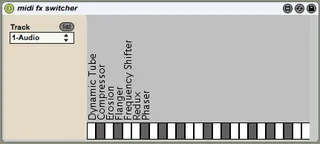
Switches the effects on a selected track
Create a track with effects, create midi track with this device, select your track and enjoy.
Keys start from C1 (36). The UI shows first 25 effect names
Comments (9)
Win XP Sp3 compatible?
what exactly is not working? UI or everything? what's in the Max window when you press 'edit' button?
You are opening a patcher or device created with Max 6 in an older
version of the software (5.1.9). It's possible that everything
will work just fine, but please be aware that some functionality
may not be backward-compatible. The newest version of the software
is available from http://www.cycling74.com/
Jitter 1.7.0 installed
newobj: lsub: No such object
list-accum Version 0.6, by Michael Lee and Matt Wright.
Copyright (c) 1996,98,98,992000,01,02,03,04,05,06 Regents of the University of California. All rights reserved.
newobj: slice: No such object
newobj: group: No such object
live.object: get: no valid object set"
So, i guess it's not compatible with my Max4Live Version (based on Max5) ... as a plain Max4Live user i cant't use Max 6, is this right?