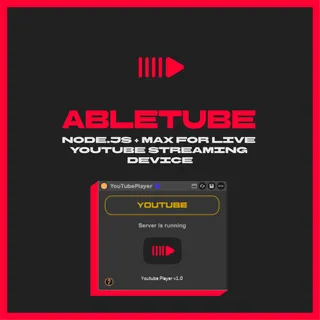
Abletube
ABLETUBE - Stream YouTube Audio Directly Into Ableton Live...
- Type
- MIDI Effect
- Author
- xterminatorapps
- Version
- 1.0
- License
- AttributionNoDerivatives
- Live version
- 12.2.5
- Max version
- 9
- Downloads
- 0
- Updated
- No Updates
Abletube is a MIDI Effect for Ableton Live by xterminatorapps, distributed as Creative Commons Attribution-NoDerivatives. It targets Live 12.2.5 and Max 9. Published 2026-01-10.
New to Max for Live? Read what MIDI Effects do, what the AttributionNoDerivatives license means, how to install a device.
Description
ABLETUBE - Stream YouTube Audio Directly Into Ableton Live
Abletube is a Node.js Electron server + Max for Live device that streams YouTube audio directly into your Ableton session using Audio over OSC (AOO) protocol.
HOW IT WORKS:
- Load the Max device onto a MIDI track
- Click the YouTube button to open the embedded browser
- Audio streams via OSC directly into Ableton
- Route to any track for recording or processing
FEATURES:
- Real-time YouTube audio streaming
- Embedded Chromium browser (no external apps)
- Low-latency Audio over OSC protocol
- Pre-FX audio routing
- Auto-launching server
REQUIREMENTS:
- Ableton Live 11 or 12
- Max for Live 8.1+
- Windows 10/11 or macOS 10.14+
- 48kHz sample rate recommended
INCLUDES:
- Abletube.amxd device
- Electron server (auto-installs)
- Windows & macOS installers
- Custom fonts
SETUP:
1. Run the installer
2. Load Abletube Max device onto a MIDI track
3. Click YouTube button
4. Create audio track, set input to Abletube track "Pre FX"
5. Set Monitor to "In" and arm the track
Download includes lifetime free updates.
More info: https://xterminatorapps.gumroad.com/l/abletube