AbletonOSC-TouchOSC Track Device Names
This was made for a personal project and is not well optimiz...
- Type
- Instrument
- Author
- franciscopiano
- Version
- 1.0
- License
- None
- Live version
- 12.3
- Max version
- 9.0.9
- Downloads
- 113
- Updated
- 2026-03-09
AbletonOSC-TouchOSC Track Device Names is an Instrument for Ableton Live by franciscopiano, distributed as freeware, with no license specified by the author. It targets Live 12.3 and Max 9.0.9. On maxforlive.com it has 113 downloads. First published 2026-02-24, last updated 2026-03-09.
New to Max for Live? Read what Instruments do, how device licenses work, how to install a device.
Description
This was made for a personal project and is not well optimized.
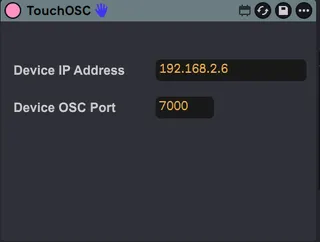
After setting the ableton project (tracks, names, effects, etc) if you upload this device to the first track it can return the names of max 8 tracks and 8 devices per track (master and return tracks not included) to this TouchOSC template:
https://drive.google.com/file/d/1nyhVd5U2KdbiHbze1v8LCXtEPcGtDZGr/view?usp=sharing
On the template you can click on any specific button (8 for tracks, 64 for devices) and the focus on Ableton will change to that specific track or device immediatly, saving time browsing with other midi controllers like ROTO-CONTROL that is the one I use the most.
On the second tab you can fire, delete or stop clips on that 8x8 grid
There is some requirements for this to work, like knowing how to edit connections on TouchOSC and get correct IP address and port for OSC messages to go from Ableton to TouchOSC and viceversa.