- Type
- Audio Effect
- Author
- MichalHo
- Version
- 1.5
- License
- Commercial
- Live version
- 12.3.6
- Max version
- 9.0.10
- Downloads
- 0
- Updated
- 2026-04-01
ReFire is an Audio Effect for Ableton Live by MichalHo, distributed as a commercial (paid) device. It targets Live 12.3.6 and Max 9.0.10. First published 2026-03-12, last updated 2026-04-01. 1 user comment below.
New to Max for Live? Read what Audio Effects do, what the Commercial license means, how to install a device.
Description
“If only the Stop button on the Push could be used to not only stop clips, but also to relaunch them…” Rjega, 2026
Have you ever wished to easily relaunch stopped clips, no matter where they are located in your set?
If you have ever played a multi-page Live set on standalone Push, you might appreciate being able to re-fire the last stopped clips on specific tracks “blindly”, without having to scroll down to locate each clip in its scene and press each clip again.
This handy M4L device created in cooperation with the artist Rjega does just that. It observes each track and buffers clip states to memory so they can be relaunched at the press of a button.
In combination with a locked stop button on the Push, it becomes a matter of simply toggling the track button to control the playing state of a clip contained in that track.
Launching a scene only fires slots within that scene and stops all other clips.
The device remembers the last played clips when launching a scene that includes slots containing no clips.
Pressing the track stop button under a slot with no clip will fire the last played clip.
Works with Push standalone and Move in controller mode, as well as many other external controller solutions for Ableton.
Setup
Place ReFire on any track, e.g. the master and you’re ready to go.
If you add or delete tracks,
re-scan the track configuration by toggling the device off and on.
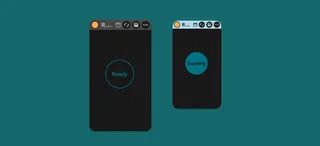
The status indicator lights up when the device is scanning the current set configuration.
This happens when the device is loaded, or turned on.
Turning the device off disables its functionality and Live returns to its default behavior.
Co-developed by MHO Devices & Rjega.
Short demo video:
https://youtube.com/shorts/CLGSIFBY_V8
Comments (1)