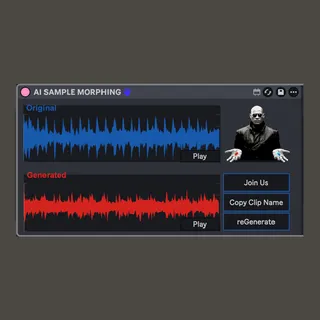
AI SAMPLE MORPHING
Drag a sample, describe how you wanna change it, click gener...
- Type
- Audio Effect
- Author
- costantinoterranova
- Version
- 1.0
- License
- None
- Live version
- 12.0.5
- Max version
- 8.6.2
- Downloads
- 290
- Updated
- 2026-03-27
AI SAMPLE MORPHING is an Audio Effect for Ableton Live by costantinoterranova, distributed as freeware, with no license specified by the author. It targets Live 12.0.5 and Max 8.6.2. On maxforlive.com it has 290 downloads. Published 2026-03-27. 5 user comments below.
New to Max for Live? Read what Audio Effects do, how device licenses work, how to install a device.
Description
Drag a sample, describe how you wanna change it, click generate.
I want to build AI tools that fit in the musician workflow, and that are actually made for artists.
If you like it, click join us.
In-depth instructions:
Tutorial: https://youtu.be/vZr_zW2CwT0
1. Set up your API key in the settings tab
2. Drag a sample in the Transform tab
3. Write a prompt
4. Select model strength (stronger = more different from original)
5. Click generate
6. Wait...
7. Listen
8. Copy clip name
9. Paste it in the Ableton search bar
Enjoy!
Comments (5)
Haven't tested on windows but chat gpt says it should work there too 🙃...