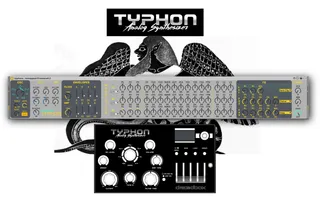
Dreadbox Typhon MIDI Editor
A free midi editor for the Dreadbox Typhon (due to added MID...
- Type
- MIDI Effect
- Author
- noeyzn
- Version
- 1.3
- License
- None
- Live version
- 12.0.5
- Max version
- 8.6.2
- Downloads
- 153
- Updated
- 2026-04-14
Dreadbox Typhon MIDI Editor is a MIDI Effect for Ableton Live by noeyzn, distributed as freeware, with no license specified by the author. It targets Live 12.0.5 and Max 8.6.2. On maxforlive.com it has 153 downloads. First published 2026-04-11, last updated 2026-04-14. 4 user comments below.
New to Max for Live? Read what MIDI Effects do, how device licenses work, how to install a device.
Description
A free midi editor for the Dreadbox Typhon (due to added MIDI Out capabilities of the firmware update 4.2 in 2026.
All the controls of the Dreadbox Typhon are controllable via this device (and via hardware).
Full credit goes to 'inkoms' for setting up the original device (https://maxforlive.com/library/device/7216/dreadbox-typhon-midi-editor)
This is an updated version with a few tweaks here and there for the firmware release (4.2) of the Dreadbox Typhon Synthesizer.
Please Note: in order to have values displayed back and forth on this device and the hardware synth, let through MIDI from and to the synthesizer on the respective track in your DAW.
Release Notes:
08.04.2026 v1.1
- updated multiple MIDI CC values (matching firmware update 4.2)
- added GLIDE MODE
- added selectable FX Slots
12.04.2026 v1.2
- added visual OSC WAVE symbols
- added custom modulators (C1-3) to the mod-matrix for each modulator (M1-3)
- added default states for modulators (centering to 0)
14.04.2026 v1.3
- added "prepend set" object via subpatch ("prependin") so hardware and software can talk without jitter/MIDI feedback loop when MIDI In and MIDI Out are both used/open
Comments (4)
- added selectable MIDI CC values for FX 1-3 Modes
- updated default states of Modulators
- added preset level (VCA LVL)
- added visual OSC WAVE symbols
- added custom modulators (C1-3) to the mod-matrix for each modulator (M1-3)
- added default states for modulators (centering to 0)
14.04.2026 v1.3
- added "prepend set" object via subpatch ("prependin") so hardware and software can talk without jitter/MIDI feedback loop when MIDI In and MIDI Out are both used/open
- set the track input and output to the respective midi channel you have already set on typhon within its global settings menu (responding to incoming midi from typhon and receiving from typhon
- set either 'monitor in' or 'arm' the midi track