- Type
- Audio Effect
- Author
- meownoid
- Version
- 1.5
- License
- AttributionNonCommercialShareAlike
- Live version
- 12.4
- Max version
- 9.1.4
- Downloads
- 390
- Updated
- 2026-06-21
Recorder is an Audio Effect for Ableton Live by meownoid, distributed as Creative Commons Attribution-NonCommercial-ShareAlike. It targets Live 12.4 and Max 9.1.4. On maxforlive.com it has 390 downloads. First published 2026-05-20, last updated 2026-06-21. 2 user comments below.
New to Max for Live? Read what Audio Effects do, what the AttributionNonCommercialShareAlike license means, how to install a device.
Description
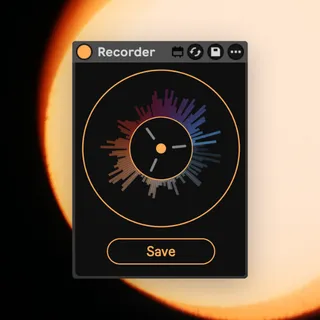
Recorder brings a fast resampling workflow to Ableton Live. Place it on the Master track for best results, and it will continuously keep the last 40 seconds of your set ready to capture. Press the Save button at any moment to write that recent audio to disk; the button can be mapped to a keyboard shortcut for quick hands-on resampling.
Saved recordings are written into your Live Set project folder at:
Samples/Recorded/recorder_YYYY-MM-DD_HH-MM-SS-ms.wav
The Live Set must be saved before Recorder can save audio files, because it uses the saved set location to create the Samples/Recorded folder.
Comments (2)
Theres also a plugin called Rolling Sampler that can record for much longer time frames, if you find the 40 seconds this does to not be long enough. Rolling sampler can also work in any DAW or even record system audio. However, this is great, and free.
Thanks meownoid!