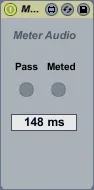
Latency Meter
Latency Meter is a simple M4L Live Set for measuring the lat...
- Type
- Audio Effect
- Author
- T0n1
- Version
- 1.0
- License
- AttributionShareAlike
- Live version
- 8.4
- Max version
- 5.1.9
- Downloads
- 1,021
- Updated
- No Updates
Latency Meter is an Audio Effect for Ableton Live by T0n1, distributed as Creative Commons Attribution-ShareAlike. It targets Live 8.4 and Max 5.1.9. On maxforlive.com it has 1,021 downloads. Published 2013-04-01. 4 user comments below.
New to Max for Live? Read what Audio Effects do, what the AttributionShareAlike license means, how to install a device.
Description
Latency Meter is a simple M4L Live Set for measuring the latency of external audio or midi plugin devices and audio interfaces. To use it, download the LatencyMeter Live Project from the download link, the combination of several devices is the actual meter software - MeterAudio.amxd here is only one of several devices.
For audio plugin latency measurement, replace the M4L example device chain in the Audio Test Route track, for MIDI plugin latency measurement, do the same with the Midi Test Route track.
For audio interface latency measurement, select one of its channels in the Audio Out and Audio In tracks and directly connect them with a cable. For stereo channels, one cable suffices.
Hit play to start the measurement. The M4L devices in the Audio Meter, Midi Meter, Audio Interface Meter tracks respectively display the measured latency in ms.
MIDI plugin latency is measured with two distinct notes, therefore make sure that the same notes are passed by a measured plugin. Audio plugin latency is measured with a click and the left/right difference, therefore it must not distort or even delay the input.
Comments (4)
thanks
I'm still on Live 8, but if I remember correctly, the "Live Sets that contain Max for Live devices or third-party plug-ins now have lower latency" change introduced in Live 9.2 is said to have fixed that problem: buffer read/write cycles are no more performed sequentially on a single device-to-device basis for each cycle, but the whole chain is processed within one cycle, thus the latency for one device is the same as the latency for a multiple device chain - and the example Live Set contains exactly such a long chain.
But for measuring the internal latency of a plugin or the latency of external hardware, the tool should still be useful.