- Type
- MIDI Effect
- Author
- denleschae
- Version
- 1.2.1
- License
- AttributionShareAlike
- Live version
- 9.1
- Max version
- 6.1.6
- Downloads
- 1,014
- Updated
- 2014-07-21
Retake is a MIDI Effect for Ableton Live by denleschae, distributed as Creative Commons Attribution-ShareAlike. It targets Live 9.1 and Max 6.1.6. On maxforlive.com it has 1,014 downloads. First published 2013-04-24, last updated 2014-07-21. 7 user comments below.
New to Max for Live? Read what MIDI Effects do, what the AttributionShareAlike license means, how to install a device.
Description
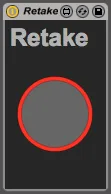
Retake is a Max for Live device which captures unexpected creative moments. Use it to capture ideas and never miss a brilliant take or happy accident again!
Directions:
1) Add Retake to a MIDI track.
2) Arm the track.
3) Press play on the transport (deactivate loop switch).
4) Perform.
5) Click the retake button to instantly restore the previous performance to a new clip.
Change Log:
v1.2.1 - 27 April 2014
- Each instance of the device has a unique note buffer.
v1.2 - 12 December 2013
- Retake automatically creates new clips. If all clip slots are filled a new scene is created for the clip.
v1.1 - 9 May 2013
- Improved note start time accuracy.
- Improved note duration accuracy.
- Resolved a rare issue where the loop state may not have been detected accurately.
v1.0 - 24 April 2013
- Initial release.
Comments (7)
works fine :)
Don't know if you plan an update but maybe an option to avoid recording while a clip is playing in the track would be perfect.
And why not a retake for all the midi clips in the session? :) would be awesome.
Very good device, was waiting for something like that for ages, I'll recommend it!
Sylvain - http://wwww.touch-able.com