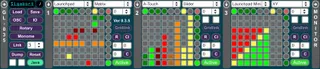
Gridlock
0.3.54 - Check out latest release notes at http://forum.siga...
- Type
- MIDI Effect
- Author
- leehu
- Version
- 0.3.54
- License
- AttributionNonCommercialNoDerivatives
- Live version
- 9.1.4
- Max version
- 6.1.8
- Downloads
- 4
- Updated
- 2014-12-01
Gridlock is a MIDI Effect for Ableton Live by leehu, distributed as Creative Commons Attribution-NonCommercial-NoDerivatives. It targets Live 9.1.4 and Max 6.1.8. On maxforlive.com it has 4 downloads. First published 2013-05-23, last updated 2014-12-01. 9 user comments below.
New to Max for Live? Read what MIDI Effects do, what the AttributionNonCommercialNoDerivatives license means, how to install a device.
Description
0.3.54 - Check out latest release notes at http://forum.sigabort.co/index.php?topic=156.0
0.3.53 - Support for Livid Base, Launch Control, Launch Control XL plus loads of other stuff, incl a missed 0.3.52 update!
0.3.51a - Minor fixes and support for monome_sum app
0.3.51 - Livid OhmRGB support, new grouping mode, rotary/XY zoom on Lemur plus lots of other stuff...
0.3.50 - Major overhaul, lots of new functionality, head on over to the website to check it out!
0.3.4 - Support for 8 endless encoders (8 banks), XY control, HUD display, MIDI feedback across pages and devices.
0.3.3 - MN+ enhancements - Intensity support, VSerialOSC support, throttling for hi load apps
0.3.2 - Push support
0.3.1 - Lemur and TouchOSC support. Standalone MAX donwloader.
Gridlock provides an easy-to-use abstraction for using a number of grid based controllers from either inside M4L or standalone in a MAX application. All communications (to and from each supported device) are handled for you and a consistent message spec is provided for talking to each physical device.
Primarily developed for the Launchpad, supported platforms are growing. Examples of upcoming adaptors for hardware are QuNeo and Push, along with Mira, Lemur and TouchOSC interfaces for the iPad.
The target market for this product is twofold:
1) Developers in MAX/M4L that wish to use one of the supported controllers without having to write the low-level code for interfacing to the controllers can use the exposed API. Anything developed will work with any of the supported controllers without having to worry about the ins and outs of each device.
2) Musicians can use the built-in functionality for configuring the controller to provide easy access to OSC/Midi based applications that they desire. Again, the control surfaces available to you are those currently supported by the application.
Comments (9)
I can import the device, but the dropdown is showing 'none'.