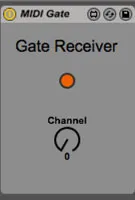
MIDI Gate Receiver
This MIDI Gate Device consists of two devices. A sender and ...
- Type
- MIDI Effect
- Author
- nomasmooo
- Version
- 1.0
- License
- None
- Live version
- 9.1.5
- Max version
- 6.1.8
- Downloads
- 1,311
- Updated
- No Updates
MIDI Gate Receiver is a MIDI Effect for Ableton Live by nomasmooo, distributed as freeware, with no license specified by the author. It targets Live 9.1.5 and Max 6.1.8. On maxforlive.com it has 1,311 downloads. Published 2014-09-21. 5 user comments below.
New to Max for Live? Read what MIDI Effects do, how device licenses work, how to install a device.
Description
This MIDI Gate Device consists of two devices. A sender and a receiver.
It basically allows to send MIDI notes from a sender track to a receiver track. In the receiver track the MIDI its notes are played with the velocity and timing of the sender track.
I use the Gate Device to change the rhythmic pattern for playing chords. I found using the arpegiator too limited and predictable. And launching a clip that controls the rhythmic pattern of the chords i quite handy (and lazy).
Comments (5)
Is there some way to solve this so it will be more stable and useful even when playing live?