- Type
- Instrument
- Author
- dirkdebruin
- Version
- 1.4
- License
- AttributionShareAlike
- Live version
- 12.0.20
- Max version
- 8.6.4
- Downloads
- 7,987
- Updated
- 2024-08-13
Wavepeek is an Instrument for Ableton Live by dirkdebruin, distributed as Creative Commons Attribution-ShareAlike. It targets Live 12.0.20 and Max 8.6.4. On maxforlive.com it has 7,987 downloads. First published 2018-04-16, last updated 2024-08-13. 17 user comments below.
New to Max for Live? Read what Instruments do, what the AttributionShareAlike license means, how to install a device.
Description
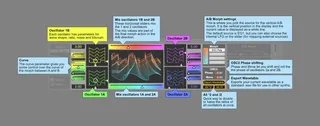
Wavepeek is a synthesizer with a wave-shaping section that is meant to be easy to understand but very capable of creating interesting waveforms at the same time. It gives you full control over two sets of waveforms and morph between them using an EG, LFO, or manually. It works best when you use the shape as a filter, so make the bottom waveforms smoother and lower but you can do some other crazy stuff with it as well.
Version 1.1: Thanks to Alex for finding and fixing the bugs! Sliders can be controlled again by dragging.
Version 1.2 (2020): Much gentler on the CPU, slightly dirtier sound.
Version 1.3 (2024): Added Export Wavetable button, to export your current wavetable as a .wav file to use in other synthesizers.
Version 1.4 (2024): Improved export functionality and updated UI.
Comments (17)
Seems the LFO1's Sync mode isn't working.
Thanks!
used it all night yesterday and still very impressed and definetly is in my favorites toolbox now (which is quite minimal).
not sure if you want requests and suggestions but im looking forward to more devices from you this year (including jitter video stuff..your pixel sorter is amazing)
here are the instructions for the beta forum -
"6. Reopen the device in the Max editor.
7. Create a new [live.banks] Max object.
8. Toggle out of Edit mode (Command+E on Mac)
9. Double click with the mouse on the [live.banks] object to open the Parameter Banks editor window
10. For each control to be mapped, find a slot in the bank and dial number of your choice
11. Close the Parameter Banks window
12. Save the device and go back to Live
Now at this point, you are not quite done yet. It appears that the bank parameter controls are only loaded/mapped to the controller (the APC for me, presumably a Push, too) when the device is newly inserted on a track or the track is loaded when a Live Set loads. That is, saving and closing the device in the Max editor does not load the control mappings to the APC. So to finish confirming that the live.banks object works:
13. Delete the device from the track
14. Add the device back to the track
15. Turn the dials on the controller to see that they are mapped"