MaxforLive.com Direct Access
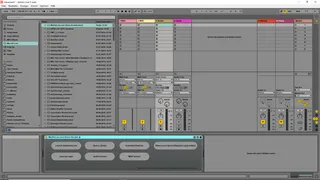
With this Device you can directly access Maxforlive.com from...
- Type
- Audio Effect
- Author
- RobertSchulz
- Version
- 0.1
- License
- None
- Live version
- 9.7.6
- Max version
- 7.3.6
- Downloads
- 366
- Updated
- 2018-07-05
MaxforLive.com Direct Access is an Audio Effect for Ableton Live by RobertSchulz, distributed as freeware, with no license specified by the author. It targets Live 9.7.6 and Max 7.3.6. On maxforlive.com it has 366 downloads. First published 2018-07-03, last updated 2018-07-05. 1 user comment below.
New to Max for Live? Read what Audio Effects do, how device licenses work, how to install a device.
Description
With this Device you can directly access Maxforlive.com from inside Live (if you got any webbrowser installed on the computer you work with and a solid internet connection to that computer).
This devices launches the webbrowser which is set as default webbrowser in your operation system settings, when you got several Webbrowsers installed.
The device was build as an audio device, even if it´s not processing input audio in any way.
You can insert it so on into audio and midi tracks, but on midi tracks it will usually be behind of all midi and instrument devices in your effect chain when Live detects this device as audio device.
The patcher is build in a way in which it contains a plugin~ to plugout~ path AND a midiin to midiout path, which means that this device theoretically could also be inserted as midi device, though it changes as it does with the audio signal nothing in the midi signal itself, it just let the signal passes through.
Tested on Windows 10 Home, Ableton 9.7.6, Max 7.3.6 and Microsoft Edge 42.17134.1.0.
This device is for free of coarse.
#synnack
Comments (1)