- Type
- MIDI Effect
- Author
- Hlroopjon
- Version
- 1.0
- License
- None
- Live version
- 10.0.1
- Max version
- 7.3.5
- Downloads
- 1,381
- Updated
- 2019-02-08
ClippyBoi is a MIDI Effect for Ableton Live by Hlroopjon, distributed as freeware, with no license specified by the author. It targets Live 10.0.1 and Max 7.3.5. On maxforlive.com it has 1,381 downloads. First published 2018-07-30, last updated 2019-02-08. 4 user comments below.
New to Max for Live? Read what MIDI Effects do, how device licenses work, how to install a device.
Description
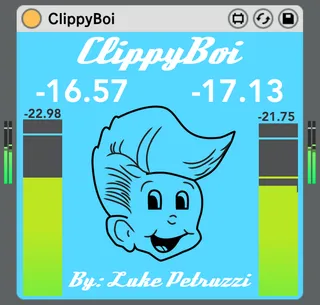
ClippyBoi is a simple, lightweight plugin for monitoring gain and clipping between between plugins. Just drag a ClippyBoi anywhere in your device chain, and monitor away!
The default gain meters between plugins in Ableton are too tiny, and make it hard to see if I'm clipping at all.
ClippyBoi is usually happy and blue, but when you clip, he gets red and angry, and shows you where the loudest clip in the current track occurred.
Watch the YouTube vid for more details and a demo!
https://www.youtube.com/watch?v=YyiWVcR7fRY
Comments (4)
That being said. Could you make a version that has a tan or somewhat milder color to it for the default view - I find the blue to be distracting in contrast to the color scheme of Ableton. (I dig the red for when it's clipping)
Would very much appreciate it!
Thanks for making an awesome plug!
Actually, I use it a lot for before/after gain staging.
For exemple when I add a compressor or a saturation plugin, I can manage very easily the make up gain of it just by inserting this device before and after.
No need to open 2 windows of meter plugins on my already crowded laptop screen, your device makes it super easy !
I've got 2 suggestions for make it a killer device for mixing workflow :
- Add a VU and/or RMS metering option (with -18dbfs as the 0VU).
So you can check the VU level or RMS before/after your FX (and not only the peaks).
- add the possibility to calibrate the peak threshold. Or at least let the user choose between 0db, -6db and -10db...
Lots of analog style plugins are calibrated around these values...
And actually, you idea to keep all infos on the device itself with no need to open a floating window, is just EXCELLENT ! And great for workflow issues...