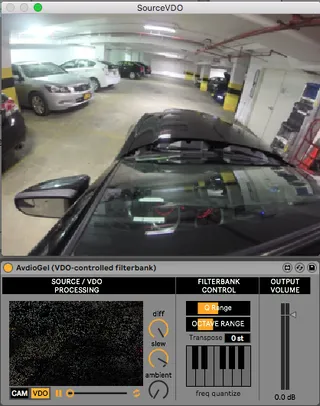
AvdioGel - VDO-controlled filterbank
Imagine you can project audio and filter it with a video gel...
- Type
- Audio Effect
- Author
- nattapoom
- Version
- 1.0
- License
- None
- Live version
- 10.1
- Max version
- 8
- Downloads
- 1,300
- Updated
- 2019-07-18
AvdioGel - VDO-controlled filterbank is an Audio Effect for Ableton Live by nattapoom, distributed as freeware, with no license specified by the author. It targets Live 10.1 and Max 8. On maxforlive.com it has 1,300 downloads. First published 2019-07-17, last updated 2019-07-18. 4 user comments below.
New to Max for Live? Read what Audio Effects do, how device licenses work, how to install a device.
Description
Imagine you can project audio and filter it with a video gel! You can do it with AvdioGel
AvdioGel uses video to control parameter of a 160-unit filterbank. With this tool you can synthesize audio from video. The video source can be either a file or a live webcam feed.
To start, try feeding in a white noise, load a video or use your webcam, and try to tweak around.
How it works
First, VCFB take the VDO information and detect motion using frame difference between the current and the previous one, then motion blur is applied to exaggerate the motion effect, and then source information is added back to add some ambient noise.
The result is downsampled to 5x32 pixels, each pixel's HSL value controls the Gain, Q, and Frequency of each unit of the filterbank filtering input audio.
Comments (4)