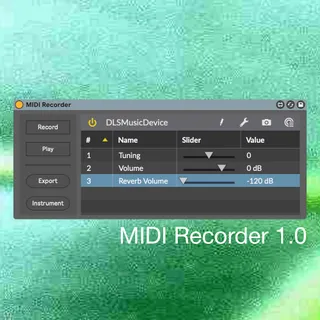
MIDI Recorder
MIDI Recorder lets you record, export and play MIDI type 0 a...
- Type
- Instrument
- Author
- 0xb
- Version
- 1.0
- License
- AttributionShareAlike
- Live version
- 10.1.35
- Max version
- 8.1.10
- Downloads
- 956
- Updated
- 2026-01-22
MIDI Recorder is an Instrument for Ableton Live by 0xb, distributed as Creative Commons Attribution-ShareAlike. It targets Live 10.1.35 and Max 8.1.10. On maxforlive.com it has 956 downloads. First published 2021-07-08, last updated 2026-01-22. 5 user comments below.
New to Max for Live? Read what Instruments do, what the AttributionShareAlike license means, how to install a device.
Description
MIDI Recorder lets you record, export and play MIDI type 0 and MIDI type 1.
To get started load a VST, VST3 or AudioUnit instrument by clicking the Instrument button. This instrument will be used to generate your audio output, by processing the incoming MIDI data.
By routing various MIDI tracks into the MIDI channels of the MIDI Recorder instrument, you can take advantage of MIDI type 1. You can record it, by pressing the Record button. Once the record button is played, all incoming MIDI data will be recorded. Pressing the button again will stop the recording. Starting a new recording will overwrite the previous recording.
You can replay and check what you recorded, by pressing the Play button. To stop the playback, press the button again.
To export your recording press the Export button. This will allow you to write a MIDI file containing your recording. Your exported MIDI file is MIDI type 0 and MIDI type 1 compatible and will also directly work with the used instrument.
This device can be used in combination with DLSMusicDevice on MacOS to record, export and play with SoundFonts.
Comments (5)
The layout/logic is so beautiful and simple. I'm thinking of trying to adapt the structure to the other objects, but the C74 forums don't seem to be at a consensus about which is better or even easier.
My main thing was to be able to use this device with External Instruments in Live (the vst cc recording bit is amazing, though). Thanks for making it so easy to remove the vst part.
I went ahead and added other features of the [seq] object, including Append (to the current recording), "Delay 0" (start the midi file at the first note on, instead of when Record is pressed)),"Time stretching" (which changes the speed the file is played back, only at the beginning) and Looping. Unfortunately, [seq] outputs a bang at the very last note off, instead of the end of the recording, so looping doesn't quite work. I guess I could record a midi note 1 with velocity 1 and then a note 1 velocity 0 directly before stopping the [seq].
I hope you don't mind, but I plan on including this in all of my midi devices.
Thank you!!!
I like the idea of the append and start on first note feature. I'll give them a try and plan on including these features soon.
I've found in Live 11 though that you need to send the write message as `write 1` to export as type 1 midi, otherwise for me it always exports as type 0.