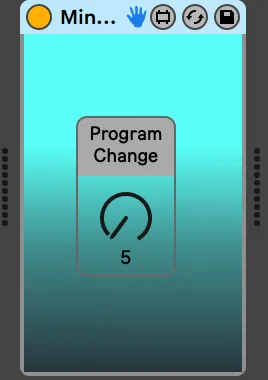
Minilogue Program Change Dial
This is a dedicated one-knob MIDI tool for Korg Minilogue to...
- Type
- MIDI Effect
- Author
- Avshez
- Version
- 1.0
- License
- None
- Live version
- 11.1
- Max version
- 8.2.1
- Downloads
- 515
- Updated
- No Updates
Minilogue Program Change Dial is a MIDI Effect for Ableton Live by Avshez, distributed as freeware, with no license specified by the author. It targets Live 11.1 and Max 8.2.1. On maxforlive.com it has 515 downloads. Published 2022-03-04.
New to Max for Live? Read what MIDI Effects do, how device licenses work, how to install a device.
Description
This is a dedicated one-knob MIDI tool for Korg Minilogue to send out Program Change commands and switch Korg Minilogue presets simply and directly from Ableton Live without using any clips or "bank selections".
I developed this especially for live performers, so that can move through presets mid-show without using the heavy latency that come with Ableton's native External Instrument tool.
It's based on another useful device uploaded by user NM.
The "Program Change" knob will go from 1-200 and the synth corresponds.
Instructions:
1) Create a new MIDI track.
2) Set the channel output to minilouge (SOUND) - If it's not there, make sure to connect your Minilogue to your computer via USB and check to see that it appears under Preferences > MIDI
3) Download this device to your Ableton Live User Library
4) Drag the device to the MIDI channel
5) Tweak the Program Change knob to switch presets.
Notes:
This is not intended for Korg Minilogue XD, only the original Minilogue model.
Tested only on MacBook Pro 2019, Big Sur, Ableton Live 11.1