The Movers by NOISS COKO
THE MOVERS The Movers features four paired Max for Li...
- Type
- MIDI Effect
- Author
- IsotonikStudios
- Version
- 1.0
- License
- Commercial
- Live version
- 10.1.18
- Max version
- 8.1.5
- Downloads
- 0
- Updated
- 2022-11-02
The Movers by NOISS COKO is a MIDI Effect for Ableton Live by IsotonikStudios, distributed as a commercial (paid) device. It targets Live 10.1.18 and Max 8.1.5. Published 2022-11-02. 1 user comment below.
New to Max for Live? Read what MIDI Effects do, what the Commercial license means, how to install a device.
Description
THE MOVERS
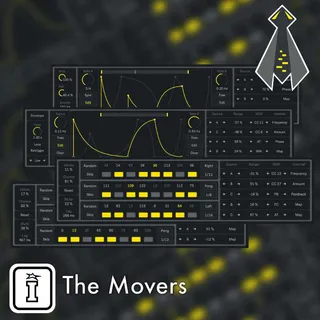
The Movers features four paired Max for Live devices, designed as control tools for both Live and external parameters. Add expression by easily targeting single parameters inside your Live set, or give these modulation sources any of the available MIDI message formats and take control over other external instruments.
Functions
Functions is a versatile control device, designed as a dynamic modulation source for both Live and external parameters. Integrated by two editable waveforms, it could be played both as a classic LFO, or a complex envelope, being triggered by incoming MIDI notes. These modulation sources are distributed at will between five output layers, each assigned either by individual Map buttons, or by sending out any of the available MIDI message formats: Control Change, Pitch Bend, Modulation Wheel, Foot Control or Aftertouch.
The audio effect version of Functions works almost exactly the same, with the only difference being that it cannot be triggered by MIDI notes nor sent MIDI control information. Instead, both sources could be applied over the audio input signal, offering different ways to modulate its amplitude level and panning position.
Ministeps
Ministeps is a simple and useful control device, also designed as a modulation source for both Live and external parameters. Control values coming from the three integrated sequencers are distributed at will between five output layers, each assigned either by individual Map buttons, or by sending out any of the available MIDI message formats: Control Change, Pitch Bend, Modulation Wheel, Foot Control or Aftertouch.
Ministeps is composed by a pair of devices, where depending on each case, either the MIDI or the audio version of this effect could be more useful than the other. Nonetheless, both alternatives present the same characteristics, with the only exception being that no MIDI options are included on the Ministeps audio effect.
Comments (1)