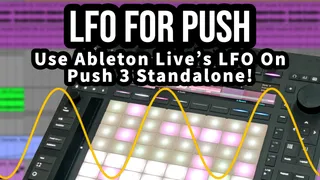
FREE LFO For Push
Hey, I just released a FREE Device for Push 3 standalone!...
- Type
- Audio Effect
- Author
- ElisabethHomeland
- Version
- 1.0
- License
- None
- Live version
- 11.
- Max version
- 8.1.5
- Downloads
- 0
- Updated
- 2025-01-01
FREE LFO For Push is an Audio Effect for Ableton Live by ElisabethHomeland, distributed as freeware, with no license specified by the author. It targets Live 11. and Max 8.1.5. First published 2023-06-09, last updated 2025-01-01. 7 user comments below.
New to Max for Live? Read what Audio Effects do, how device licenses work, how to install a device.
Description
Hey,
I just released a FREE Device for Push 3 standalone! (Works great with push 1-2 too)
Get it from here : http://www.elisabethhomeland.com
Here's a short demonstration video about it:
https://youtu.be/fJCoGQruIbk
Use Ableton Live's LFO MaxforLive device from push standalone on the fly! (also works great with push 1-2 too!)
LFO is a built-in Ableton Live device that lets you modulate up to 8 selectable parameters.
Unfortunately you can’t access the mapping capabilities from push with the default version. ( Which makes it basically impossible to use the device from push if you don’t set it up previously from your computer. )
That’s why I created this modified version, where you:
· Get a visual representation of the LFO signal, and the mapped parameter’s name on the Push display.
· You can select the destination of the LFO By turning the MAP dial, then selecting the desired parameter.
· Change the Min and Max values of the LFO signal.
· Un-map / Un-assign the mapping.
---------------------------------
Also a Few days ago I released Varispeed 3.0 that also works great with the standalone Push 3! :)
Varispeed is a MaxForLive device that allows you to use Ableton Live like an analog tape recorder.
It enables you to transpose your entire song (audio and MIDI clips) in both Session and Arrangement View by up to -24 / +24 semitones while accurately changing the tempo.
Additionally, Varispeed can transpose Simpler devices in Slicing mode, MIDI information after leaving clips (such as sequencer and chord generator outputs or individual Drum Rack cells),
and some built-in Live effects' pitch parameters (e.g., Shifter, Spectral Resonator, Corpus and some more).
This gives you the ability to record parts in different speed and pitch or explore your song in different keys.
Of course it's a free update so if you already bought the device you can download the new version from your Gumroad Library! :)
Get it from here :
https://elisabethhomeland.gumroad.com
Here's a tutorial video where I show you some of it's features:
https://youtu.be/7743DkygOCg
And here's a short video where I show you how it looks on P3 standalone:
https://youtu.be/fIo-dclBG6Y
Have a great weekend!
Comments (7)
Game, meet changer!
I've been wanting to get more hands on with Push, turning to the computer/mouse much less often. One of the things I had been wishing for was a way to assign LFOs without having to use the mouse!
Using it so far has been pretty great!
Thank you!
Yes I plan to create a new version soon that has the Live 12 features! : )
Cheers, Nándor
I was very surprised when I couldn't find LFO's mapping capability. But I found your device and life got better....
But there is a point - there is no possibility to mapping sends. I tried it anyway. It doesn't want to work. And it's sad. Is there any way to fix it?
Or does everything work, I'm just doing something wrong?