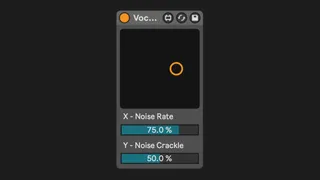
Vocoder Noise Control
Just place this Device right in front of Ableton's Vocoder ...
- Type
- Audio Effect
- Author
- Stevon
- Version
- 1.0
- License
- AttributionShareAlike
- Live version
- 11.3
- Max version
- 8.3
- Downloads
- 0
- Updated
- 2023-11-19
Vocoder Noise Control is an Audio Effect for Ableton Live by Stevon, distributed as Creative Commons Attribution-ShareAlike. It targets Live 11.3 and Max 8.3. First published 2023-08-29, last updated 2023-11-19.
New to Max for Live? Read what Audio Effects do, what the AttributionShareAlike license means, how to install a device.
Description
Just place this Device right in front of Ableton's Vocoder to control it´s noise parameters (XY Field) remotely and via MIDI Mapping. Turning the Device off disables the RemoteControl feature at the Vocoder. Turn it back on to enable it again.
Little Donations are appreciated.
Follow me on instagram to stay updated of new Products:
https://www.instagram.com/stevon.av/