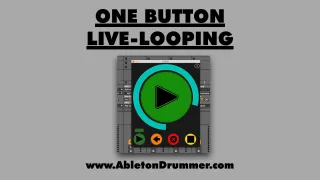
One Button Live Looper with Ableton Live
This Max for Live LOOPER device gives you: VISUAL FEE...
- Type
- MIDI Effect
- Author
- AbletonKurse
- Version
- 1.0
- License
- Commercial
- Live version
- 11.3
- Max version
- 8.5
- Downloads
- 0
- Updated
- 2025-02-04
One Button Live Looper with Ableton Live is a MIDI Effect for Ableton Live by AbletonKurse, distributed as a commercial (paid) device. It targets Live 11.3 and Max 8.5. First published 2023-11-09, last updated 2025-02-04.
New to Max for Live? Read what MIDI Effects do, what the Commercial license means, how to install a device.
Description
This Max for Live LOOPER device gives you:
VISUAL FEEDBACK via resizable pop-up window
RECORD up to 10 layers per Looper device + EDIT each recorded layer individually
EASY TO CONTROL + MAP to MIDI controller to loop Audio+MIDI
Compatibility: Ableton Live 10/11 Suite and upwards.
MORE INFO: https://blog.abletondrummer.com/live-looping-with-ableton-live/
---------
INFO:
Why is the “One Button Live-Looper” an easy and user-friendly solution for live-looping with Ableton Live?
MIDI MAP buttons or foot pedal of your midi controller for all the actions required for live-looping
control recording and re-loop via pressing ONE MIDI button or foot-pedal
get visual feedback via changing colours in a (resizable) pop-up window for recording, re-looping and loop-lengths
record up to 10 layers / clips with one looper device
quick access to UNDO and CLEAR the recordings
record your whole live-loop performance and edit each layer individually afterwards
set up looping presets and controls and re-call those for different projects quick and easy
control audio and midi recordings via one looper device
set ARM On and Off when recording automatically
set up as many loopers as you (and your system) can handle
—————————————————
Max for Live devices, online teaching and courses for Ableton Live. Get in touch for quotes.
https://blog.abletondrummer.com/free-max-for-live-devices/
https://www.abletondrummer.com
----------------------------------
Check out more Max for Live devices here:
All Devices - https://maxforlivedevices.com/category/all-devices/
Collections - https://maxforlivedevices.com/category/collections/
Control - https://maxforlivedevices.com/category/control/
Free - https://maxforlivedevices.com/category/free-max-for-live/
Hardware - https://maxforlivedevices.com/category/hardware-control/
How To and FAQ - https://maxforlivedevices.com/category/faq/
MIDI Tools - https://maxforlivedevices.com/category/midi-tools/
Max for Live not only for drummers:
https://blog.abletondrummer.com/free-max-for-live-devices/
How to install Max for Live devices:
https://blog.abletondrummer.com/how-to-install-max-for-live-devices-in-your-user-library/
List of best Max for Live for live music performance in 2022:
https://maxforlivedevices.com/best-max-for-live-devices-in-2022/
How to get Max for Live devices:
https://maxforlivedevices.com/how-to-get-max-for-live-devices/
Frequently Asked Question and How To Max for Live:
https://maxforlivedevices.com/category/faq/