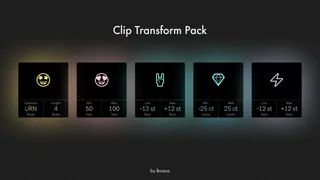
Clip Transform Pack
Five game-changing devices for live 11, live 12 soon. ...
- Type
- Audio Effect
- Author
- BROSCA
- Version
- 1.0
- License
- Commercial
- Live version
- 11.3.4
- Max version
- 12.0
- Downloads
- 0
- Updated
- 2024-12-13
Clip Transform Pack is an Audio Effect for Ableton Live by BROSCA, distributed as a commercial (paid) device. It targets Live 11.3.4 and Max 12.0. First published 2023-12-23, last updated 2024-12-13. 4 user comments below.
New to Max for Live? Read what Audio Effects do, what the Commercial license means, how to install a device.
Description
Five game-changing devices for live 11, live 12 soon.
Improve your workflow! Take a new look at creating chops, drums and percussion, sampling and re-arranging your loops, save a lot of time, generate ideas and change your tracks on the fly in one click.
Preview: https://youtu.be/RjXLTfwI5mg
Short description:
- Clip Shifter - Randomly shifts the start marker of each audio clip on the track.
- Clip Stager - Randomizes the volume of each audio clip on a track.
- Clip Tuner - Randomizes the pitch of each audio clip on a track by semitones.
- Clip Tuner Jr. - Randomizes the pitch of each audio clip on a track by cents.
- Clip Drifter - Randomizes the tempo of each audio clip on a track, stretching the audio within the clips using the Re-pitch algorithm.
Pack contains:
- 5 Max devices (.amxd) files.
- Guide images (.png) files.
Available now at: https://boosty.to/brosca
Comments (4)
I used Adobe after effects. I actually have pretty bad video editing skills. I found a free plugin that places markers according to the bpm of the audio track (it does not work entirely accurately, but these are limitations of AE), then I simply edited it based on the markers.
Updated the link so it's now available on Gumroad :) Cheers!