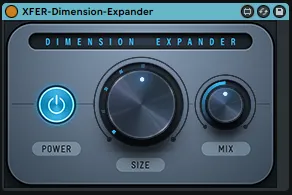
XFER Dimension Expander
This is a FREE wrapper for the xfer records Dimension Expand...
- Type
- Audio Effect
- Author
- effree
- Version
- 1.1
- License
- AttributionNonCommercial
- Live version
- 11.3.13
- Max version
- 8.5.5
- Downloads
- 533
- Updated
- 2024-01-26
XFER Dimension Expander is an Audio Effect for Ableton Live by effree, distributed as Creative Commons Attribution-NonCommercial. It targets Live 11.3.13 and Max 8.5.5. On maxforlive.com it has 533 downloads. First published 2024-01-25, last updated 2024-01-26. 5 user comments below.
New to Max for Live? Read what Audio Effects do, what the AttributionNonCommercial license means, how to install a device.
Description
This is a FREE wrapper for the xfer records Dimension Expander.
You must have the Dimension Expander VST installed on you system.
INSTALLATION INSTRUCTIONS:
You will need to select your plugin location.
1. open the .amxd for this device.
2. click on the Max button on the device (of the three buttons on the top right of the device click the left square shaped button).
3. On the bottom bar of M4L click Unfreeze.
4. Deselect the Presentation Mode (should no longer be yellow)
5. Make sure the lock button is in the locked position.
6. Click the plug box, which will allows you to find and select your VST.
Now you can Lock, Re-Freeze and save the device.
The device is now ready for use.
UPDATE:
1.1
- Fix possible crash on load
- Fix where image files don't load so there is no moving visuals
Comments (5)
before clicking the "plug" box to find the vst, the lock should be locked (not unlocked) - correct?
Then once we select the vst, just freeze or should we also be unlocking again before saving?
I've updated the patch to fix a few issues. Please try the latest version. I also remoted DE and readded it following the instructions and it seems to work for me. Let me know if you can get past that issue.
You are correct, the lock should be locked to make the Plug button clickable. If it is unlocked it won't be clickable.
Once you have selected the VST i suggest relocking, and freeze, the CTRL+S to save.
You can then Exit M4L.
Try removing it from your channel strip and readding it, and it should work.