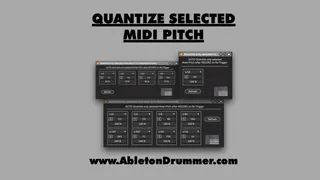
Quantize Selected MIDI Pitch
This Max for Live pack consists of 3 devices for automatic q...
- Type
- MIDI Effect
- Author
- AbletonKurse
- Version
- 1.0
- License
- Commercial
- Live version
- 12.0.5
- Max version
- 8.6.2
- Downloads
- 0
- Updated
- No Updates
Quantize Selected MIDI Pitch is a MIDI Effect for Ableton Live by AbletonKurse, distributed as a commercial (paid) device. It targets Live 12.0.5 and Max 8.6.2. Published 2024-09-04.
New to Max for Live? Read what MIDI Effects do, what the Commercial license means, how to install a device.
Description
This Max for Live pack consists of 3 devices for automatic quantisation for selected MIDI pitches to individual settings when recording MIDI in Ableton Live's Session View. This means you can have different settings for different MIDI notes you record live and have them quantised to the values and intensity it makes sense.
To give you one example: When you record a beat into a clip in Session View in Ableton Live, you could set the kick pitch to be quantised to straight quarter notes ("4 to the floor") but have the hi-hats quantised to 16th notes. Check out more Max for Live devices here:
https://maxforlivedevices.com/
-------------------
All Devices - https://maxforlivedevices.com/category/all-devices/
Collections - https://maxforlivedevices.com/category/collections/
Control - https://maxforlivedevices.com/category/control/
Free - https://maxforlivedevices.com/category/free-max-for-live/
Hardware - https://maxforlivedevices.com/category/hardware-control/
How To and FAQ - https://maxforlivedevices.com/category/faq/
MIDI Tools - https://maxforlivedevices.com/category/midi-tools/
Max for Live not only for drummers:
https://blog.abletondrummer.com/free-max-for-live-devices/
How to install Max for Live devices:
https://blog.abletondrummer.com/how-to-install-max-for-live-devices-in-your-user-library/
List of best Max for Live for live music performance in 2022:
https://maxforlivedevices.com/best-max-for-live-devices-in-2022/
How to get Max for Live devices:
https://maxforlivedevices.com/how-to-get-max-for-live-devices/
Frequently Asked Question and How To Max for Live:
https://maxforlivedevices.com/category/faq/