Constellation
Demo video: https://www.youtube.com/watch?v=d47NkPKMGOY&lc=U...
- Type
- MIDI Generator
- Author
- eliasjarzombek
- Version
- 1.0
- License
- None
- Live version
- 12.0.5
- Max version
- 8.6.2
- Downloads
- 0
- Updated
- 2024-10-17
Constellation is a MIDI Generator for Ableton Live by eliasjarzombek, distributed as freeware, with no license specified by the author. It targets Live 12.0.5 and Max 8.6.2. First published 2024-09-16, last updated 2024-10-17. 1 user comment below.
New to Max for Live? Read what MIDI Generators do, how device licenses work, how to install a device.
Description
Demo video: https://www.youtube.com/watch?v=d47NkPKMGOY&lc=Ugy8UcjCHYspvRXgJ1V4AaABAg
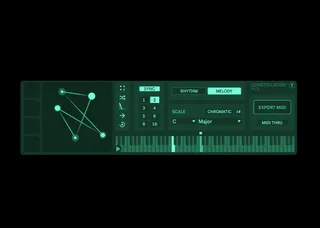
Constellation is a MIDI sequencer/arpeggiator for Ableton Live. Based on my project Shape Your Music, It allows you to compose melodies and harmonies by manipulating a shape. The edges represent notes, and the angles at each corner determine the musical interval between notes.
DRAW YOUR LOOP: Use the shape editor to create and perform your sequences. Add, move and remove points to control the loop. Adjust velocity, note length, loop direction, loop length and key/scale. Save and load shapes using the four slots on the left. Click on the keyboard to set the starting note, or play with MIDI.
PLAY IN PARALLEL OR IN SEQUENCE: Using the MIDI THRU toggle, you can change whether incoming MIDI controls the sequence starting note or not. With this off, stacking two Constellation devices will mean that the output of the first will send input to the second, allowing you to create longer progressions. With the setting on, multiple devices will play in parallel. This is great for drums where each device can control a single drum sample.
ABLETON 10+, MAX 8.2.2+, Full user guide: https://constellation.eliasjarzombek.com/
Comments (1)