- Type
- Audio Effect
- Author
- DysWaves
- Version
- 1.0.0
- License
- Commercial
- Live version
- 11.3.0
- Max version
- 8.6.4
- Downloads
- 0
- Updated
- No Updates
Drox II Pro is an Audio Effect for Ableton Live by DysWaves, distributed as a commercial (paid) device. It targets Live 11.3.0 and Max 8.6.4. Published 2025-10-21. 5 user comments below.
New to Max for Live? Read what Audio Effects do, what the Commercial license means, how to install a device.
Description
Drox II Pro
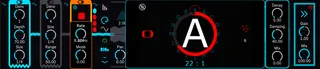
Drox II Pro is a versatile multi-effect device designed for creative audio manipulation in real time. It combines four powerful engines that can be used independently or together, giving you total control over rhythm, pitch, texture, and timing.
Videos:
https://youtu.be/Zp8MqVLU4gc
https://youtu.be/03_XYesNWBk
https://youtu.be/5_edGJv_m7Q
https://youtu.be/eVpDOMpmonc
https://youtu.be/ufK3X20ewMc
Engines
Dropout
Instantly chops or mutes the audio for rhythmic or glitchy effects. You can sync dropouts to tempo or trigger them manually for precise timing.
Jump (CD Skip)
Simulates tape or CD skipping, creating abrupt jumps forward or backward in the audio. Perfect for glitch, stutter, or rhythmic rearrangements.
Tape Stop
Emulates classic tape slowdown effects, with adjustable start/stop times and tempo-synced behavior. Includes modulation for both realistic and experimental pitch and rate changes.
Stutter — From Full Chaos to Complete Control
The Stutter Engine redefines repetition and rhythm, offering granular-level control over every repeat. It can move effortlessly between unpredictable chaos and precise, sequenced design, making it a true centerpiece for creative sound manipulation.
Each repeat runs through a complete per-repeat processing chain, giving you full sonic control:
Pitch Section: Individual pitch shift, pitch spread, pitch bend, and vibrato per repeat.
Modulation Stage: Add FM (PM) modulation for metallic or expressive tonal motion.
Distortion Stage: Four per-repeat distortion types — tanh, hard clip, wavefold, and bitcrusher — for everything from subtle drive to total destruction.
Filter Stage: Apply low pass, band pass, high pass, formant, or comb filters, all per repeat.
Panning: Set individual panning positions for each repeat to create detailed stereo motion.
Reverb: Add per-repeat reverb to place specific repeats in space or create evolving depth.
Envelope Shapes: Choose different window envelope curves to sculpt attack, decay, and transient emphasis.
Sequencing: Use dedicated sequencers to compose every repeat like a musical pattern, with the ability to save and load sequencer data for instant recall.
Randomization Systems: Multiple randomization modes per repeat, including fully random and probabilistic systems, allowing control from total unpredictability to subtle variation.
Tempo Synchronization: All parameters can be synced to project tempo for precise rhythmic control.
The Stutter Engine gives you the power to go from full chaos to complete control, producing anything from wild glitch bursts to meticulously crafted rhythmic patterns — perfect for sound design, remixing, and live performance.
Highlights
Each engine can operate independently or together for complex, layered processing.
Tempo-synced or manual triggering options for all engines.
Extensive per-repeat and per-event sequencing in the Stutter Engine.
Advanced randomization systems with fully random or probabilistic behavior.
Save, load, and recall presets for both global settings and sequencer configurations.
Drox II Pro is made for producers, sound designers, and live performers who want to transform audio in real time with precision, creativity, and a balance between chaos and control.
Comments (5)
Thanks for letting me know!
Could you please send me a screenshot of the problematic devices or the areas where the issue appears? That will help me identify and fix it.
[email protected]
@Syn
Hi,
Fixed the problem.
Please download the new version of Drox II Pro from your account.
Added a settings panel in the bottom-right corner to adjust knob label/value and dial colors. Click the settings icon to open the swatch panel for adjustments.
Cheers