LeapLive Mapper 1.0 - Leap Motion controller
LeapLive Mapper is a Max for Live MIDI effect designed to ca...
- Type
- MIDI Effect
- Author
- rom1constant
- Version
- 1.0
- License
- AttributionNonCommercialShareAlike
- Live version
- 12.0.5
- Max version
- 8.6.2
- Downloads
- 268
- Updated
- 2026-01-28
LeapLive Mapper 1.0 - Leap Motion controller is a MIDI Effect for Ableton Live by rom1constant, distributed as Creative Commons Attribution-NonCommercial-ShareAlike. It targets Live 12.0.5 and Max 8.6.2. On maxforlive.com it has 268 downloads. First published 2026-01-26, last updated 2026-01-28. 5 user comments below.
New to Max for Live? Read what MIDI Effects do, what the AttributionNonCommercialShareAlike license means, how to install a device.
Description
LeapLive Mapper is a Max for Live MIDI effect designed to capture hand gestures to trigger MIDI notes and modulate Ableton Live parameters. Using the Leap Motion V1 sensor, this device converts hand movements into high-precision control data.
Video tutorial link : https://www.youtube.com/watch?v=N6b1KFUzxzk
Technical Specifications
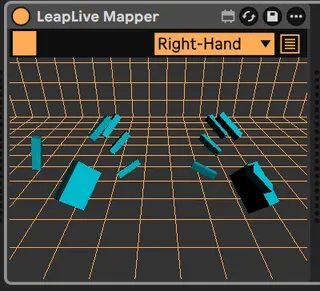
Visualization: Integrated 3D rendering for real-time representation of hand coordinates.
Mapping Modes: Includes Modulation and Remote modes with adjustable Min/Max ranges.
Tracking Parameters: Data extraction for Width, Height, Depth, Grab, Pinch, and 3D Rotation.
Signal Processing: * Individual Smoothing settings (interpolation in ms).
Range configuration (input scale selection).
MIDI Triggering: MIDI note generation based on hand position within a defined area (Blue Zone). Includes Mute options, note selection, and velocity control.
System Requirements
UltraLeap SDK: Available at leapmotiontechnology.com/developer-sub/get-started.
Hardware: Leap Motion V1 sensor.
Software: Ableton Live Suite (with Max for Live).
Development & Credits
Concept & Design: Romain Constant www.romainconstant.com Ableton Live Certified Trainer.
Technical Resources: Thanks to Jean-Michaël Celerier and Mathieu Chamagne for the UltraLeap node and Jitter visual tools. https://github.com/celtera/ultraleap
http://www.mathieuchamagne.com/
https://github.com/jcelerier
Hand illustrations by "lqud"
Comments (5)
Seems so nice, but unable to make to it work. I think it's because I can't find the sdk : leapmotiontechnology.com/developer-sub/get-started. I've downloaded the Ultraleap app there : https://www.ultraleap.com/downloads/leap-controller/, which is supposed to contains the SDK but it's not working. I'm on a mac book pro 15.7. Any help will be greatly appreciate !
Great Max4Live, thanks Romain !
and also "$" variable out of range (1)
I had also installed the leap controller, so the hardware is running well
can you give some help please