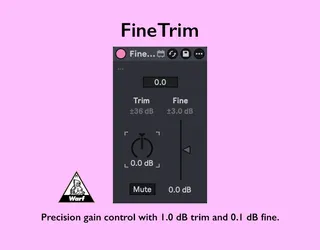
FineTrim
A simple, high-precision gain tool with 1.0 dB trim and 0.1 ...
- Type
- Audio Effect
- Author
- warf
- Version
- 1.3.1
- License
- None
- Live version
- 12.0.5
- Max version
- 8.6.2
- Downloads
- 0
- Updated
- 2026-06-21
FineTrim is an Audio Effect for Ableton Live by warf, distributed as freeware, with no license specified by the author. It targets Live 12.0.5 and Max 8.6.2. First published 2026-01-28, last updated 2026-06-21. 4 user comments below.
New to Max for Live? Read what Audio Effects do, how device licenses work, how to install a device.
Description
A simple, high-precision gain tool with 1.0 dB trim and 0.1 dB fine adjustment.
- Clean, transparent gain control
- 1 dB trim for fast level adjustments (±36dB)
- 0.1 dB fine control for precise matching (±3dB)
- Wide adjustment range for everyday production tasks
- Lightweight utility with no sound coloration
- Minimal device width to save screen space
Release Notes
- v1.2.8 First release
- v1.2.9 Reluctantly set width to 110px (Live adds padding with Push active).
- v1.2.10 Fixed an incorrect X position for the panel
- v1.3.0 Push control support
- v1.3.1 Improved startup and state restoration stability with smoother
mute transitions.
Comments (4)
Thanks for the comment! The most significant difference is the small device width. Having a narrower width is a huge advantage when a track is loaded with many devices. Also, Utility often fails to move in 0.1dB increments even with Shift held down, depending on the screen or mouse resolution.
Appreciate the idea! I’ll think about this for the next stage of development. I’ll also study how AOM Triple Fader handles it.