OneButtonRecorder
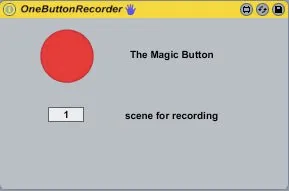
Press the Magic Button once to arm the current track for rec...
- Type
- Audio Effect
- Author
- timeyam
- Version
- 1.0
- License
- None
- Live version
- 8.1
- Downloads
- 2,647
- Updated
- 2009-12-22
OneButtonRecorder is an Audio Effect for Ableton Live by timeyam, distributed as freeware, with no license specified by the author. It targets Live 8.1. On maxforlive.com it has 2,647 downloads. First published 2009-12-21, last updated 2009-12-22. 16 user comments below.
New to Max for Live? Read what Audio Effects do, how device licenses work, how to install a device.
Description
Press the Magic Button once to arm the current track for recording. Press it again to start recording in the next free clip slot. Press it a third time to hear your Masterpiece. Further pressing will toggle between recording new clips in free slots and playing them back.
Comments (16)
One thing i wish we could do with:
set the launch mode, loop or not and quantification clip for each onebuttonrecorder patch loaded by track.
Like that, i can use a onebuttonrecorder patch on one track with quantification as none and launch mode as gate with no loop on one track,
and for example loop, trigger and 1/4 quantification on another one, etc...
Great to have different "on the fly" record/play.
Any chance to see that on future update?
Now to your requests:
-Launch mode is currently not part of the API, so i can't implement that for now. But I see, that this would be a cool feature and I could give it a try when the API grows some day.
-Similar problem with quantification. Only the global quantification is part of the API now.
-Looping should be no problem, I will try to do this.
-I'll think about additional arm, play and record buttons.
My main goal for the next version, is to implement a track chooser, so one can use one patch for the hole live set. I'm working on some sort of visual feedback for this in Jitter, but it doesn't behave very well now.
K.
Did things break with the 5.1.2 update, or am I missing something?
^_^
i just have on problem with it:
I need to launch the button with a drumpad from my spd-s... unfortunately it doesnt send a note off message... in other words, it is not momentary...
this means i do have to hit the pad twice to make it work as it should... is there any way to to configure that thing, to make it work as i need it, or do i need to implement a miditranslator???
thx 4 your help
You can add the function to disarm when the clip starts to play,
I tried but lost the quantization clip,
Can you help me?
I desperately need a MIDI looper (exactly like looper but with midi).
This device works perfectly. But I have a PROBLEM: I need to automate it so it records certain parts of the piece.
I can put the button on (live-button) but, as soon as the automation is past, the track turns dark brown, the 'back to arrangement' button turns red, the device won't follow automations any more.
I'm pretty sure I'm doing a simple thing very wrong...can anyone help me?
Thanks!
Wonderful !