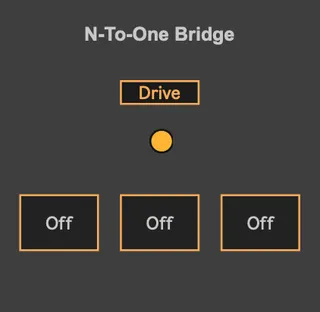
N-To-One Bridge
When you need to access the same parameter (e.g., an effect ...
- Type
- MIDI Effect
- Author
- remaksiva
- Version
- 1.0
- License
- None
- Live version
- 12.0.5
- Max version
- 8.6.2
- Downloads
- 70
- Updated
- 2026-06-09
N-To-One Bridge is a MIDI Effect for Ableton Live by remaksiva, distributed as freeware, with no license specified by the author. It targets Live 12.0.5 and Max 8.6.2. On maxforlive.com it has 70 downloads. Published 2026-06-09.
New to Max for Live? Read what MIDI Effects do, how device licenses work, how to install a device.
Description
When you need to access the same parameter (e.g., an effect or volume) from multiple points in your setup or from several controllers simultaneously
Mapping:
Click the Map button to activate the mapping mode.
Select any parameter in Ableton Live you wish to control. It will be successfully mapped to your device.
Reset:
Click the Reset button to unmap the current parameter and clear the link.
Control:
You can trigger the mapped parameter using the three buttons on the device.
MIDI Integration: You can easily map these three buttons to your external MIDI controller buttons to control the parameter remotely