- Type
- MIDI Effect
- Author
- RVirmoors
- Version
- 1.1
- License
- Attribution
- Live version
- 9
- Max version
- 6
- Downloads
- 527
- Updated
- 2014-02-09
SeqScene RV is a MIDI Effect for Ableton Live by RVirmoors, distributed as Creative Commons Attribution. It targets Live 9 and Max 6. On maxforlive.com it has 527 downloads. First published 2013-11-20, last updated 2014-02-09. 4 user comments below.
New to Max for Live? Read what MIDI Effects do, what the Attribution license means, how to install a device.
Description
UPDATED in v1.1:
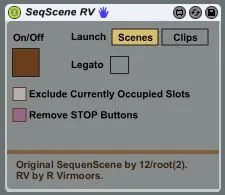
New Relative/Absolute control for Scene launching. When in Relative mode, the key input will be ADDED to the existing scene ID. Also, Ableton will keep the sequencer scene selected at all times for complete hands-off usage :)
The Clips mode is left unaffected.
---------------
Based on 12RT2's Sequenscene v1.1:
http://www.maxforlive.com/library/device.php?id=1984
Make sequence of scenes (or clips on a specific track) using midi clips. Check out the original Sequenscene device page for detailed instructions.
-----------------
The RANDOMIZER Function:
"RV" stands here for Random by Velocity: enter a chord (up to 6 simultaneous notes) and the device will trigger ONE of the respective scenes randomly, weighted by each note's velocity.
e.g. you may have the following chord / corresponding scenes:
C-2 vel 30 ..... scene 1 prob 30%
C#-2 vel 30 ... scene 2 prob 30%
D-2 vel 40 ..... scene 3 prob 40%
Note: the original Sequenscene's velocity mapping function has been removed
Comments (4)
Thanks for checking it out!