- Type
- Audio Effect
- Author
- zalo
- Version
- 2.0
- License
- Attribution
- Live version
- 8.1
- Max version
- 6.1.7
- Downloads
- 54,272
- Updated
- 2014-06-18
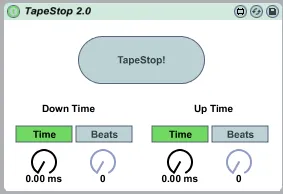
TapeStop is an Audio Effect for Ableton Live by zalo, distributed as Creative Commons Attribution. It targets Live 8.1 and Max 6.1.7. On maxforlive.com it has 54,272 downloads. First published 2010-02-16, last updated 2014-06-18. 27 user comments below.
New to Max for Live? Read what Audio Effects do, what the Attribution license means, how to install a device.
Description
Sorry this took a while to update. Didn't realize people had still been using this.
Using a more reliable method to create the effect.
All bugs should be fixed.
Comments (27)
(I didn't spot that this was already in the library, and built a very similar, but simpler device: http://www.maxforlive.com/library/index.php?type=audio )
I downloaded the file and double clicked it, it opened live as expected but I cant find the effect, what am I missing?
I downloaded the file and double clicked it, it opened live as expected but I cant find the effect, what am I missing? Is This For Mac ?
- allow the value of 8 beats to be selectable (wasn't in 1.0)
- cancelling DC offset
- using [live.thisdevice] to initialize it so you don't have to click on tapestop after loading to get sound
- setting initial values for the time and beats dials for the same reason.
- suppressing the click when stop mode is selected
Are you ok to post it ?
just getting into max4live, I downloaded this great device:
I'd like to alter the behaviour and just have to stop the currently playing clip. I have used M4L.api.FireSelectedClip.maxpat where M4L.api.ToggleTransport.maxpat is used but obviously this only retriggers the clip. Any idea about how to stop the clip?
Many thanks
I installed it in the max device folder but it doesn't show from within Live browser. I'm able to launch it from Finder but not Ableton as I don't see it. Is there a proper way to make Live see a newly installed device?
Thanks for your time in advance!
https://forms.gle/VVPHqm6Aoz6bVZVk9