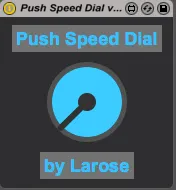
Push Speed Dial
UPDATE 1.1: Fix range issue with parameters with a range gre...
- Type
- Audio Effect
- Author
- larose
- Version
- 1.1
- License
- None
- Live version
- 9.1.6
- Max version
- 6.1.3
- Downloads
- 893
- Updated
- 2015-03-12
Push Speed Dial is an Audio Effect for Ableton Live by larose, distributed as freeware, with no license specified by the author. It targets Live 9.1.6 and Max 6.1.3. On maxforlive.com it has 893 downloads. First published 2015-03-10, last updated 2015-03-12. 7 user comments below.
New to Max for Live? Read what Audio Effects do, how device licenses work, how to install a device.
Description
UPDATE 1.1: Fix range issue with parameters with a range greater than 1.
1. This device transforms the Push Master Volume Encoder into a speed dial that controls the selected parameter in Live (without turning the parameter grey).
2. Holding the delete button on Push and touching the encoder will reset the parameter to its default value.
This is my first device, so please give me some feedback if you have a chance!
-Larose
www.larosemusic.com
Comments (7)
Some findings
1. Does not seem to map well to all control ranges. E.g moving a fader or pan and the knob range is within 1 turn of the knob and is fine. But map to something like Bit Depth on Redux and knob range is much larger so many turns are needed just to move between values. Some kind of manual range setting could help here.
2. Repeatable bug.
Load speed dial to master track
map to any parameter on any track (i chose pan)
Turn off speed dial via mouse click (this causes device to map to self! [Device on/off])
Now move previous mapped parameter with mouse and now this previous parameter jitters/jumps between values and will only stop by deleting speed dial device. I expect that mapping to itself might be causing some kind of feedback loop issue.
It just opens your website and there's no mapping function...
Is there any easy way, perchance, to change the knob to the swing amount knob instead of the master volume knob?