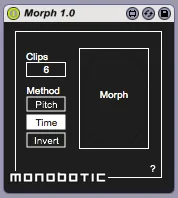
Morph
Morph creates a number of transition clips between two exist...
- Type
- MIDI Effect
- Author
- JimmyBollox
- Version
- 1.0
- License
- AttributionShareAlike
- Live version
- 9.2
- Max version
- 7.0.4
- Downloads
- 4
- Updated
- 2020-05-19
Morph is a MIDI Effect for Ableton Live by JimmyBollox, distributed as Creative Commons Attribution-ShareAlike. It targets Live 9.2 and Max 7.0.4. On maxforlive.com it has 4 downloads. First published 2015-09-19, last updated 2020-05-19. 5 user comments below.
New to Max for Live? Read what MIDI Effects do, what the AttributionShareAlike license means, how to install a device.
Description
Morph creates a number of transition clips between two existing MIDI clips.
Morph requires a MIDI clip to be highlighted in Live's Session View with a second 'target' clip in the slot directly below it.
The number of new transition clips can be set by the user and different methods of morphing allow for different results.
Comments (5)
This one in particular sounds like it would be great quite literally for creating bridge or C material. Or just simply making the change of clips more smooth, seeing as ableton demands some work arounds for ties and partial measures, etc.
Sorry to hear you're having trouble. Have you got two different clips with notes in them? The time/pitch methods could produce similar results depending on the note patterns.