- Type
- MIDI Effect
- Author
- bleblans
- Version
- 1.0
- License
- None
- Live version
- 9.2
- Max version
- 7.0.4
- Downloads
- 630
- Updated
- No Updates
Animoog Control is a MIDI Effect for Ableton Live by bleblans, distributed as freeware, with no license specified by the author. It targets Live 9.2 and Max 7.0.4. On maxforlive.com it has 630 downloads. Published 2015-10-29.
New to Max for Live? Read what MIDI Effects do, how device licenses work, how to install a device.
Description
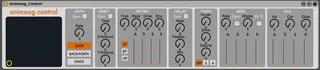
Animoog Control is an utilily to control all Animoog CCs.
The device was developed by Maxime Dangles (http://www.maximedangles.com/) It is also available on this site.
I changed the layout a bit to get an "ableton look" because on my system the text was not visible and I like to have a minimal and clear view (tested in default and disco skin).
Maxime told me it was ok for me to post this version.
So here you go. I hope you like it!
Greetz,
Bart Leblans
Bellectra
https://www.facebook.com/Bellectra
https://soundcloud.com/bellectra
Instructions:
- Put "Animoog Control" on a midi track and set the midi channel to your iPad.
- Add an external instrument behind it. Set the midi channel and the audio.
- In Animoog, make sure to map the CC's table (under "setup" > "map CCs"):
FILTER :
type : 1
drive : 2
env : 3
cutoff : 4
res : 5
ORBIT :
sync : 6
rate : 7
X amount : 8
Y amount : 9
PATH :
sync : 10
rate : 11
mode : 12
DELAY :
sync : 13
time : 14
feedback : 15
mix 16
THICK :
crush : 17
drive : 18
detune : 19
unison : 20
X/Y PAD :
x : 21
y : 22
LFO :
rate : 23
sync : 24
shape : 25
kb trig : 26
AMP ADSR :
a : 27
d : 28
s : 29
r : 30
FILTER ADSR :
a : 31
d : 32
s : 33
r : 34
MOD ADSR :
a : 35
d : 36
s : 37
r : 38
MASTER :
vol : 39
cor : 40
glide : 41
(If you use push you can group Animoog_Control and the External Instrument so you can map 8 macro's to the top row knobs)