- Type
- MIDI Effect
- Author
- Adphi
- Version
- 1.2
- License
- AttributionNonCommercialShareAlike
- Live version
- 9.2
- Max version
- 7.0.4
- Downloads
- 1,001
- Updated
- 2016-01-11
Step Recorder is a MIDI Effect for Ableton Live by Adphi, distributed as Creative Commons Attribution-NonCommercial-ShareAlike. It targets Live 9.2 and Max 7.0.4. On maxforlive.com it has 1,001 downloads. First published 2016-01-09, last updated 2016-01-11. 16 user comments below.
New to Max for Live? Read what MIDI Effects do, what the AttributionNonCommercialShareAlike license means, how to install a device.
Description
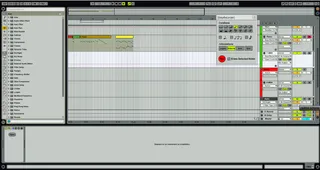
A simple step recorder.
A master device and a slave are included.
Insert the master device on any Midi track.
Insert the slave device on any other Midi track if you want to monitor the track's Instrument.
v1.1 : various bug fixes.
v1.2 : duration's shortcuts ("+" to switch between notes and rests) fixed.
Comments (16)
https://www.youtube.com/watch?v=wpJgcGveUTA
Just saying ;)
Peace!
One request though, the ability to move where the note is placed would be great. That way you could allow for rests/no notes in certain points. Or maybe just a way to enter no note for the duration of the currently selected note value?
You also can change the insert position of the note during recording by clicking where you want in the clip.
Be sure of using the last version (1.2), some bugs have been fixed.
Would you mind if I hacked this into a random clip generator of sorts and released it here on maxforlive.com? Will give credit of course.
No biggie if not. I'll just keep it to myself.
Would you mind if I hacked this into a random clip generator of sorts and released it here on maxforlive.com? Will give credit of course.
No biggie if not. I'll just keep it to myself.
Would you mind if I hacked this into a random clip generator of sorts and released it here on maxforlive.com? Will give credit of course.
No biggie if not. I'll just keep it to myself.
Other than that, great device!
And it would be really great if it gets that update!