- Type
- Audio Effect
- Author
- kodamapixel
- Version
- 1.1
- License
- AttributionShareAlike
- Live version
- 8.1.3
- Max version
- 5.1.8
- Downloads
- 2,198
- Updated
- 2012-01-15
QuadPanner is an Audio Effect for Ableton Live by kodamapixel, distributed as Creative Commons Attribution-ShareAlike. It targets Live 8.1.3 and Max 5.1.8. On maxforlive.com it has 2,198 downloads. First published 2010-07-09, last updated 2012-01-15. 13 user comments below.
New to Max for Live? Read what Audio Effects do, what the AttributionShareAlike license means, how to install a device.
Description
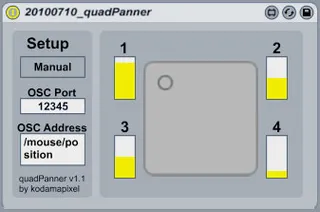
A simple control for passing audio between 4 send/return tracks. When returns are set to output audio on 4 separate channels, this allows for quadraphonic panning.
Option of controlling panning via OSC, or manually. If receiving OSC controls, enter correct port number and OSC address prefix (patch is set to receive 2 coordinate messages with a syntax similar to /osc/address x y).
This is my first MaxForLive device, so any feedback is most definitely welcome!
Comments (13)
In OSCulator, change the parameter of your choice to 'OSC routing' in the Event Type drop down list and the Value to 'Default: localhost:12345' (you may need to set the port number by adding a localhost OSC Route in the Parameters menu.
When I have a chance, I'll update the way this device recognises OSC, to make it easier to work with different signals.
Is it possible to have constant volume crossfading? Currently the volume drops out when a sound goes between, for example, right front to right surround. I'm assuming the fade is linear right now.
I'd also love an option for center speaker that can be turned on and off. Or perhaps a 5 speaker version of the patch. I do a lot of film sound and game cinematic sound utilizing center speaker for position.
Can you describe what sort of crossfading behaviour would you like to see? Do you mean that you would prefer both front left and right speakers to be at full volume when panning is set in the middle (as opposed to a drop as soon as panning moves away from one of the corners)?
But the center position panning should be -3dB (not-6dB)to get constant power panning.
Anyway an LCR mix could be achieved sending also the track output to Live Master after summing it to mono using Live Utility Mono Preset set with +3dB gain .
i am still waiting for a 5 ,6,8 Channel panner based on the same idea .
I made a version which doesn't dip at midpoint, inspired by you device: http://www.maxforlive.com/library/device.php?id=531
(also added automation support, which yours didn't have)
Check the 'Max Api SendsXnodes' device in Audio Effects > Max Audio Effects > Tools > API - it's great!