- Type
- MIDI Effect
- Author
- ctignor
- Version
- 2.0
- License
- AttributionShareAlike
- Live version
- 10.11.6
- Max version
- 7.3.6
- Downloads
- 3
- Updated
- 2019-08-05
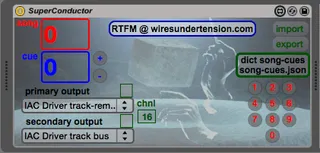
SuperConductor is a MIDI Effect for Ableton Live by ctignor, distributed as Creative Commons Attribution-ShareAlike. It targets Live 10.11.6 and Max 7.3.6. On maxforlive.com it has 3 downloads. First published 2016-02-26, last updated 2019-08-05. 3 user comments below.
New to Max for Live? Read what MIDI Effects do, what the AttributionShareAlike license means, how to install a device.
Description
Now for 64-bit!
Total Set Recall...and more...
Instead of being the technician, be the musician.
Let SuperConductor remix your entire set in an instant with total recall of all MIDI mapped parameters at a single pedal press.
It tweaks fader levels, adjusts reverb sends, turns on and off devices, fires off clips - anything that can be MIDI mapped is instantly recalled.
Later in the song, fire off a melody to multiple instruments while cranking the gain and compression on your synth input with the next pedal push.
SuperConductor reworks your entire set on the fly so you can keep playing the music.
More at:
http://www.wiresundertension.com/soft/doc/SuperConductor/SuperConductor-UsersGuide.pdf
Comments (3)
Thanks for letting me know about " Clyphx Snap Clip" - looks interesting. I will see if this functionality can be incorporated in subsequent versions. I think there would still be some outstanding questions as to what of all midi mapped parameters you might want to store from within the entire set.
Yes, this device does not require the set to be playing at all and doesn't use clips at all. Also, it's able to send note and controller messages not associated with midi-mappable parameters too, e.g. for playing instruments on other tracks.
Might be worth looking into creating a max shell for certain actions to be saved to the device itself. Or alternatively seeing if the delineators in a saved snap clip could be understood from within the text file in SuperConductor...