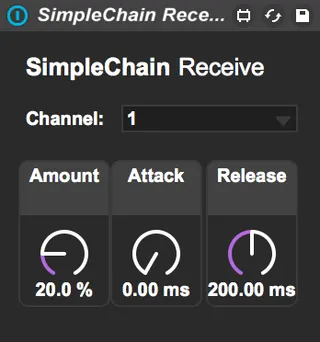
SimpleChain Receive
A simple, easy way to add sidechain compression-based duckin...
- Type
- MIDI Effect
- Author
- schmatz
- Version
- 1.0
- License
- None
- Live version
- 9.6.2
- Max version
- 7.2.4
- Downloads
- 851
- Updated
- 2016-08-17
SimpleChain Receive is a MIDI Effect for Ableton Live by schmatz, distributed as freeware, with no license specified by the author. It targets Live 9.6.2 and Max 7.2.4. On maxforlive.com it has 851 downloads. Published 2016-08-17. 2 user comments below.
New to Max for Live? Read what MIDI Effects do, how device licenses work, how to install a device.
Description
A simple, easy way to add sidechain compression-based ducking to a track.
(REQUIRED) SimpleChain Send link: http://www.maxforlive.com/library/device/3758/simplechain-send
Along with SimpleChain Send, whenever an incoming MIDI note is detected, any given track with the SimpleChain Receive audio effect is reduced in gain temporarily.
There are options to modify the amount, attack, and return values for the ducking.
No more copying the kick to a separate track, then using a sidechain compressor and EQ'ing.
Comments (2)
is that thing working for you?
in my case it show triggersignal but it doesnt duck the track.
if i use it behind a kick and let the clip play it - no ducking - when i press the little playbutton for the kicks pad by mouse it ducks..
So am iusing it the wrong way or is the device not working?
Id lov to see this one run!
I too would love to get this working.